
Rotoclear C2
Two perspectives.
One system.
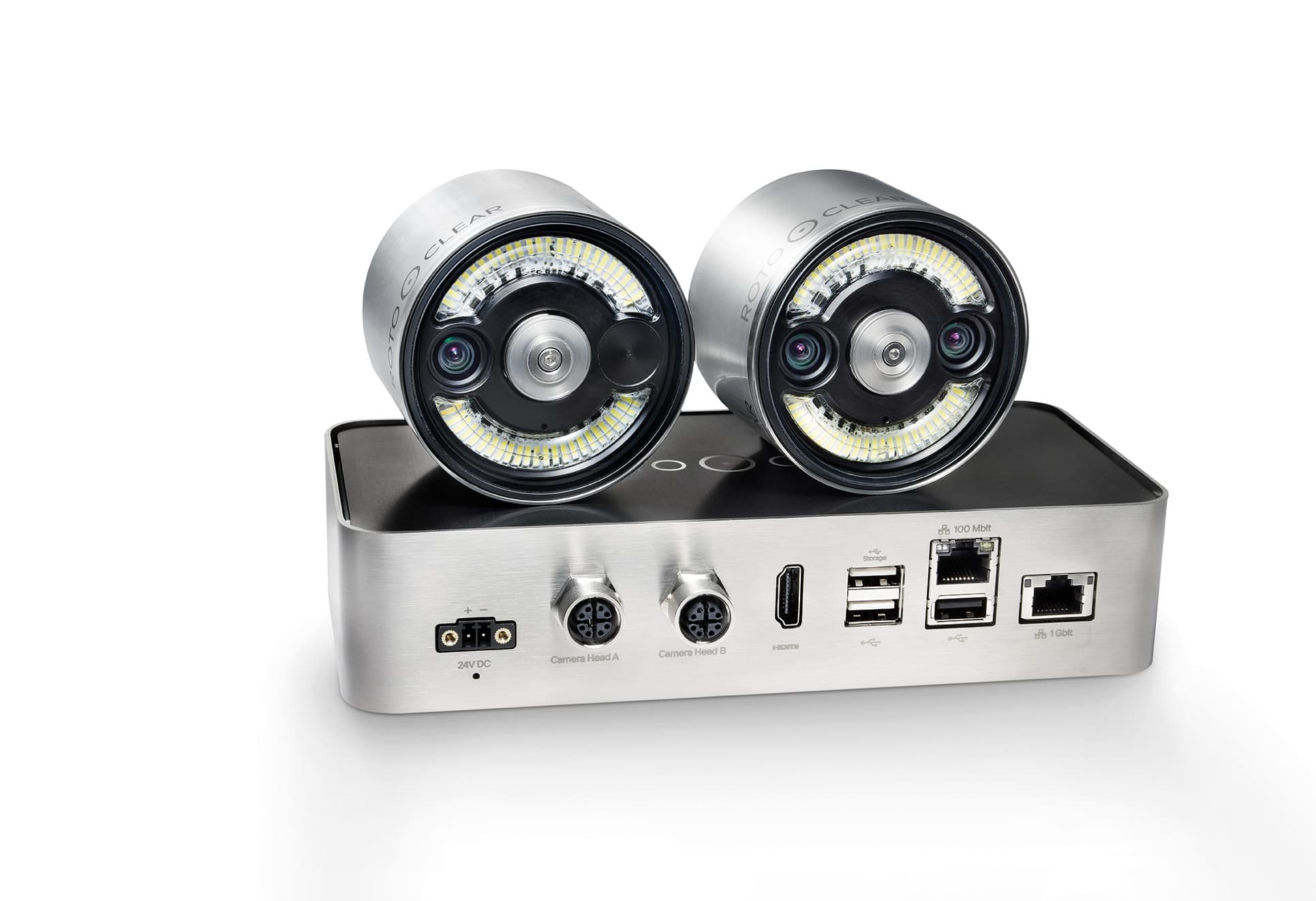
Up to two camera heads inside the workspace stream a live view of the cut — tool close-up and full-table view at once. Watch on the machine display, or anywhere in the shop.
Short answer
The Rotoclear C Basic is the entry-level camera system: one 4K camera head and a live HDMI feed to a display, with no network setup. The C2 adds a second camera head (up to two perspectives at once), network streaming, and recording of specific process steps to external storage. A C Basic can be upgraded to a C2 later.
One control unit runs it all
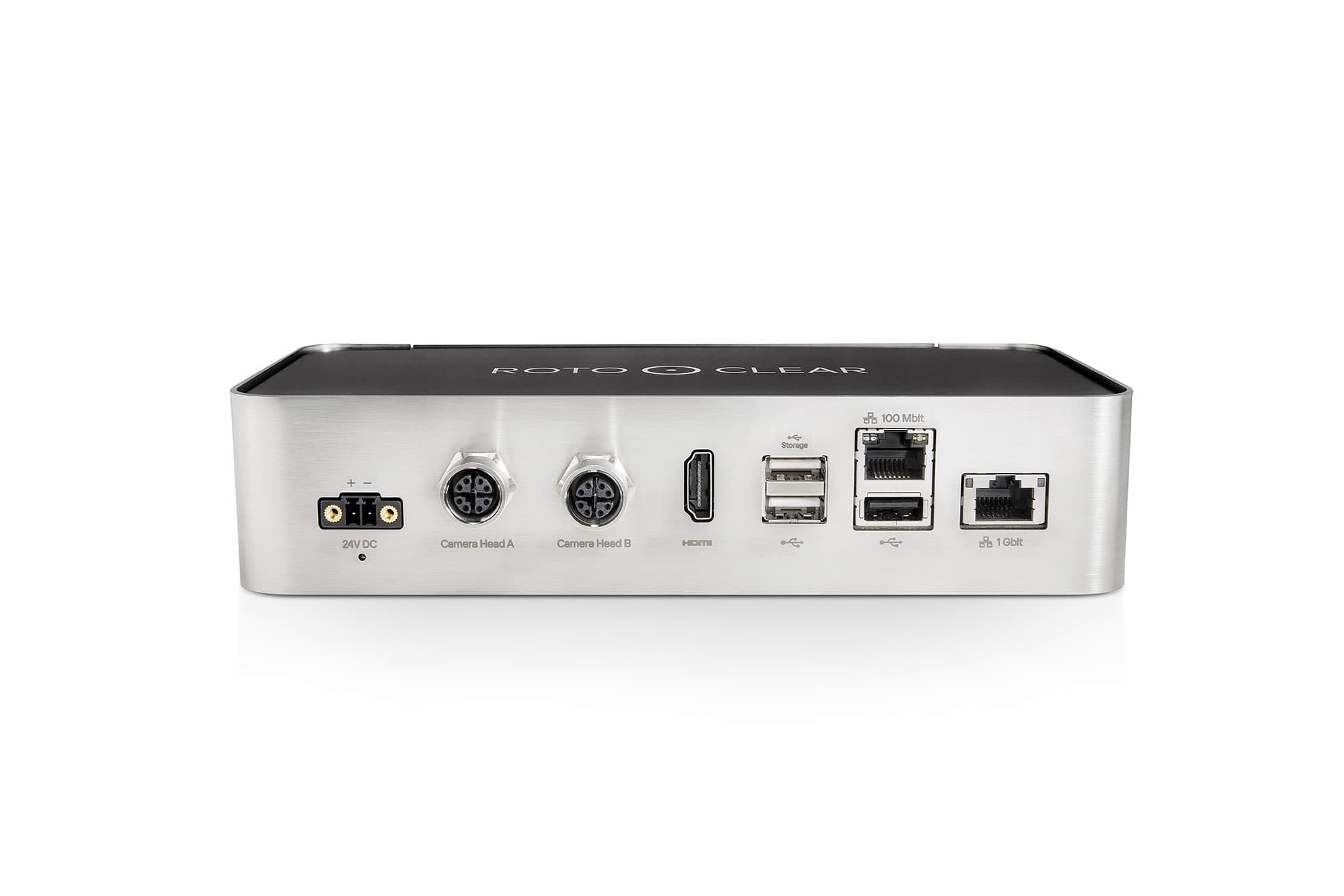
The C2 control unit drives both heads, streams to any display, and integrates with your network. Configure heads, mounts, and cable lengths in minutes — your quote arrives by email.
Configure now & get a quoteTwo perspectives at once
Run one or two camera heads and watch your process from two angles at the same time — top, side, or right at the tool.
Stream from anywhere
Network streaming puts your machine's live view on any screen — at the next bench or across the world. The foundation for a central monitoring station.
Capture what matters
Record specific process steps to external storage for later review or to share with customers. (Need every job recorded automatically? That's the C Pro.)
Built for big machines
Up to 4K clarity, and the C-Extender pushes cable runs from 20 m to 40 m — or 60 m with two — for large machines.
Alignment sensor for moving mounts
A built-in position sensor tracks the camera head's movement and corrects for it in real time — what makes shooting directly from the tool's own perspective possible.
Extend your reach with C-Extender
Chain 20 m cable segments through C-Extender signal amplifiers to reach 40 m, or 60 m with two, on larger machines.
Open API
Pull the C2's feed into your own software, or automate it as part of a larger workflow, through Rotoclear's API.
Camera heads for every focus
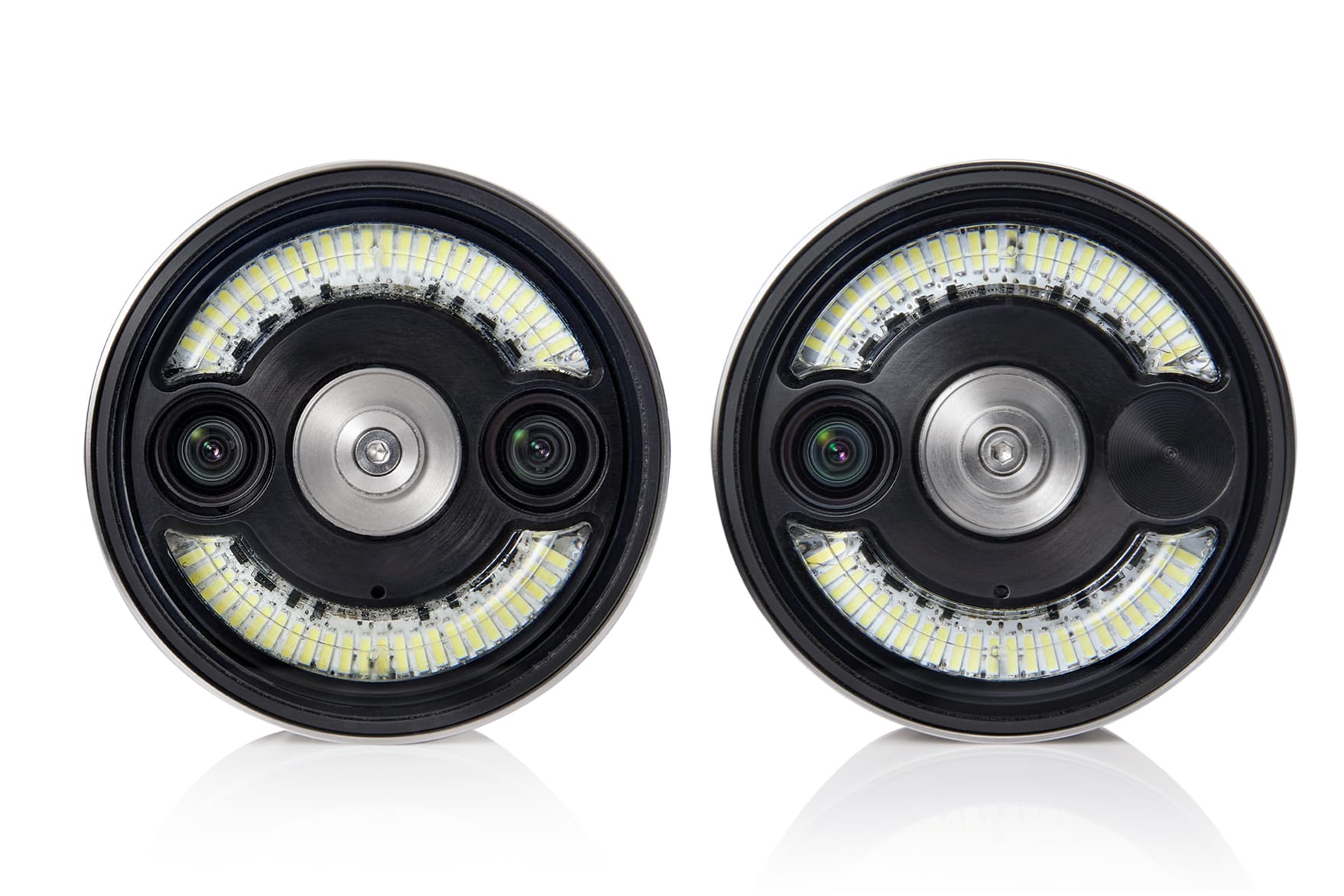
Pick the optics per head: F1 close-up tool view (8–20 in.), F2 wide top/side view (20 in.–20 ft), or the F1+F2 dual optic. Cable runs extend to 60 m with the C-Extender.
Parts 10083 · 10084 · 10085 · 10370
Mount it your way
Four mounting systems cover every machine wall and every line of sight.
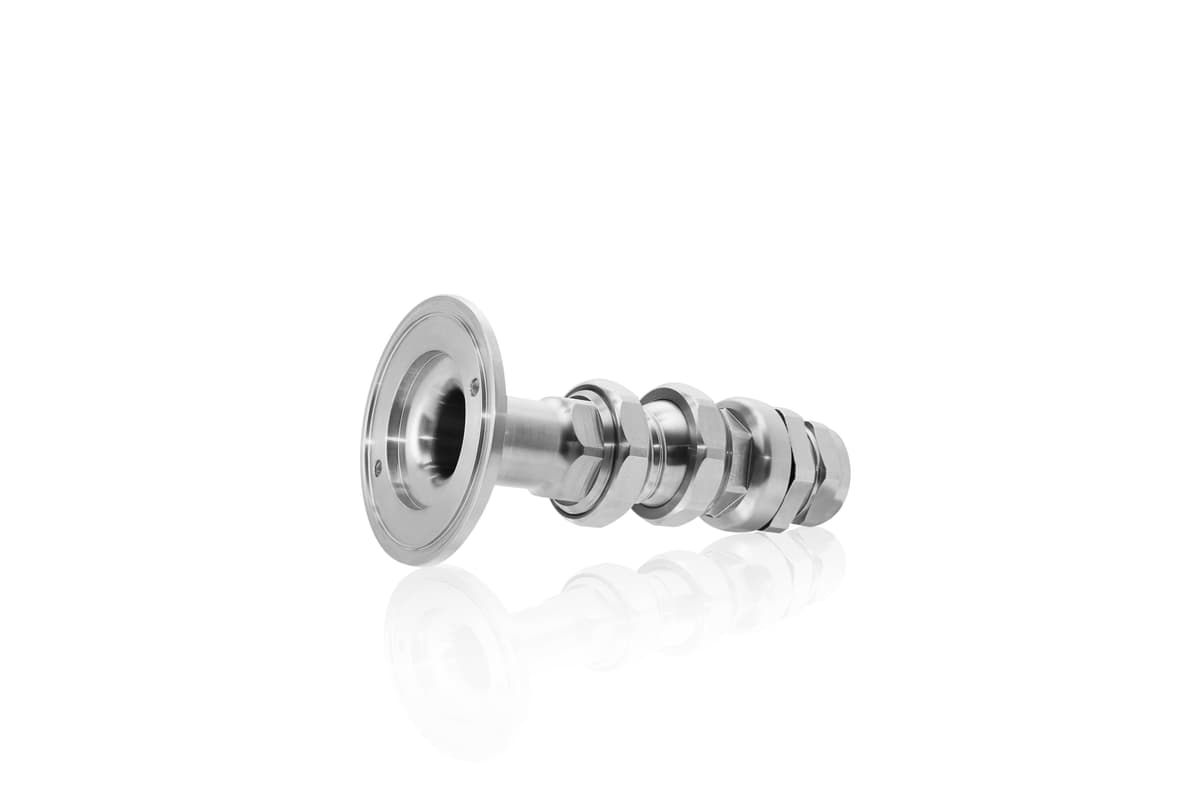
Flex arm — through-wall
Mounted in the machine wall, cables run outside
Part 10144
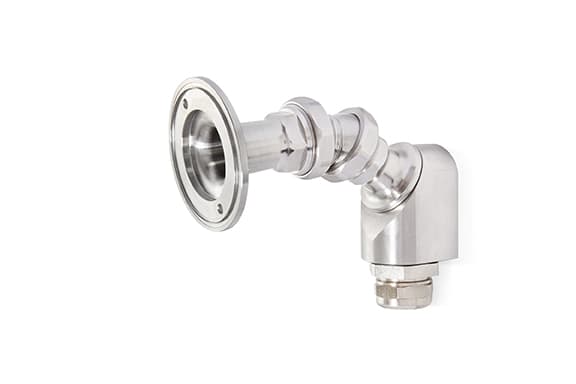
Flex arm — pre-wall
Screwed in front of the wall — easy install
Part 10178
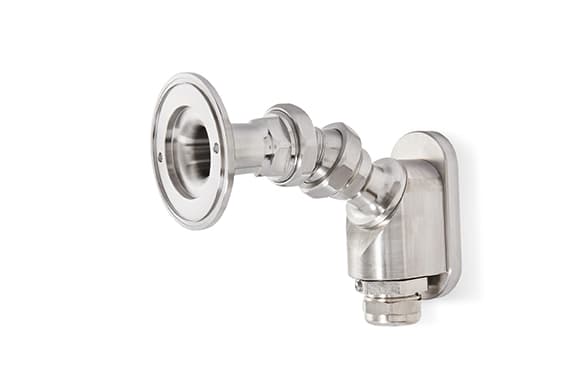
Flex arm — magnetic
Magnet-held — find the perfect position first
Part 10222
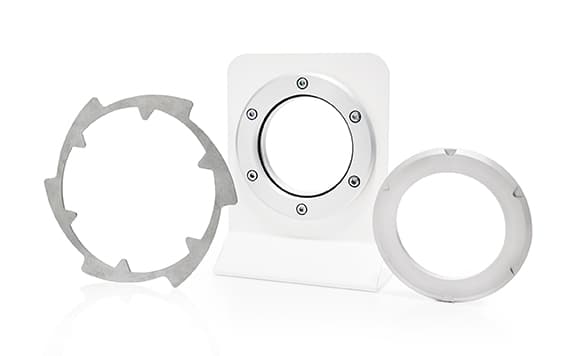
Ball mount
Flush in the wall — minimal chip build-up
Part 10229
Benefits
What the C2 actually changes on the floor
Five ways a clear, always-on view into the machine interior pays for itself — condensed from the manufacturer's own case for the system.
- See inside fully enclosed machines
- Keep monitoring while coolant is running
Typical applications
Where the C2 earns its keep
Prototyping
Watch a new program's first real cuts closely before you trust it to run unattended.
Small and medium batch runs
Keep visual coverage on jobs too short to justify a dedicated operator watch.
Machine start-up monitoring
Watch a newly commissioned or freshly retrofitted machine's early cycles closely.
Pairs especially well with a Rotoclear S3 spinning window on the same machine →Capturing specific process steps
Grab footage of just the moment you need, on demand, rather than recording continuously.
Centralized monitoring
Route multiple machines' feeds to one monitoring station or control room.
Training and onboarding
Show new operators what a correct cut actually looks like, not just what the control panel reports.
Sharing process expertise
Pull in a specialist's eyes on a job without needing them on-site.
Where to point the camera
Find the view that fits your machine
Tool View
Mounted right where the cutting happens
Mount a head right at the spindle housing, next to the tool holder, for the closest possible look at the cut itself.
Plan this one early — ask your machine builder about a Tool View option when the machine itself is being configured, since fitting this exact position in later can be tight.
Top View
Looking down from the ceiling
A ceiling-mounted head takes in the whole work envelope at once, which pairs well with a tighter Tool View or Side View elsewhere on the same machine.
Align the camera to the machine's X, Y, or Z axis — it makes the picture much easier to read at a glance.
Side View
Watching from the side
A side-mounted head keeps tool changes and the immediate surroundings in view without needing a spindle-mounted position.
When a true Tool View isn't practical — especially on a retrofit — Side View is usually the closest workable substitute.
Configure your C2
Build the system for your machine
Pick the lens per head, the cable run, and how it mounts — the C2 ships as a configuration, not a fixed SKU.
Camera-head lens options
Each head takes its own lens — mix F1 and F2 across two heads, or pick the combined F1+F2 head to switch on the fly.
Lens options at a glance
Data cable length
Native cable runs cover 10 m and 20 m; the C-Extender chains 20 m segments together to reach 40 m or 60 m on large machines (part 10370).
| 10 m | Part 10035 |
| 20 m | Part 10036 |
| 40 m | 1× C-Extender |
| 60 m | 2× C-Extender |
Mounting
Ball, flex-arm through-wall, pre-wall, or magnetic — see "Mount it your way" above for the hardware and part numbers.
Installation dimensions
Plan your mount
Camera head and control unit dimensions for the Rotoclear C Pro, straight from the manufacturer's technical specifications.
- Camera head — diameter2.76 in
- Camera head — length (without mount)1.97 in
- Control unit — length7.76 in
- Control unit — width4.09 in (4.96 in incl. clip)
- Control unit — height1.73 in
Full technical specifications
Rated voltage, power draw, and connectivity for the C2 control unit.
- Rated voltage
- 24 VDC, protected against reverse polarity
- Power consumption
- 60 W max. (2 camera heads, 4 signal amplifiers)
- Current
- 2.5 A max. (2 camera heads, 4 signal amplifiers)
- Ethernet
- 1 × 1 Gbit/s and 1 × 100 Mbit/s
- USB
- 3 × USB 2.0 (500 mA max. each)
- DisplayPort
- —
- Video signal
- HDMI (1×)
- Data
- 2 × M12 x-coded (female)
Which system fits?
Compare the Rotoclear camera systems
Three systems, one shared design — every capability side by side, from what's built into all of them to what only the C Pro adds.
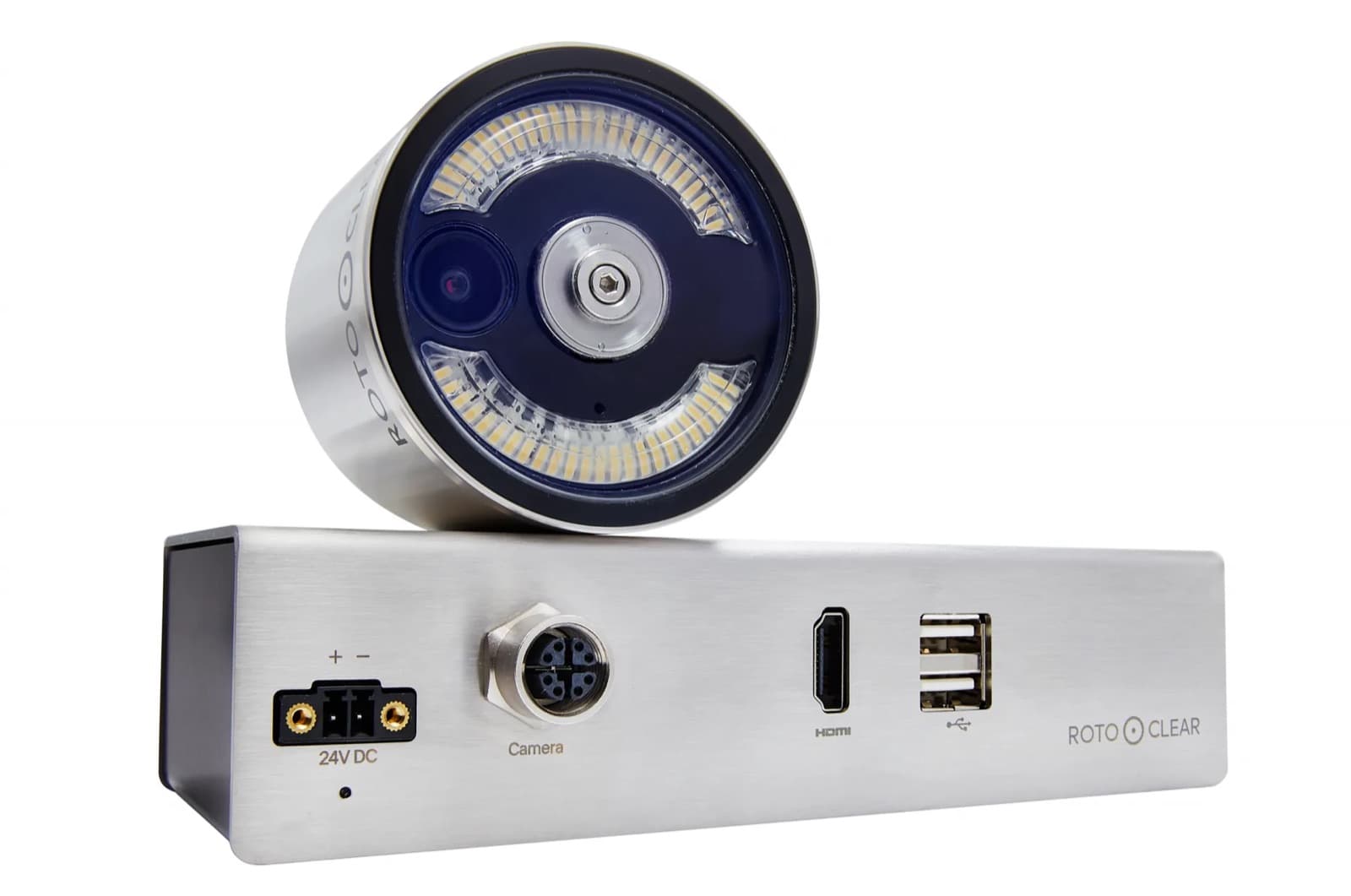 C Basic C Basic | C2 | 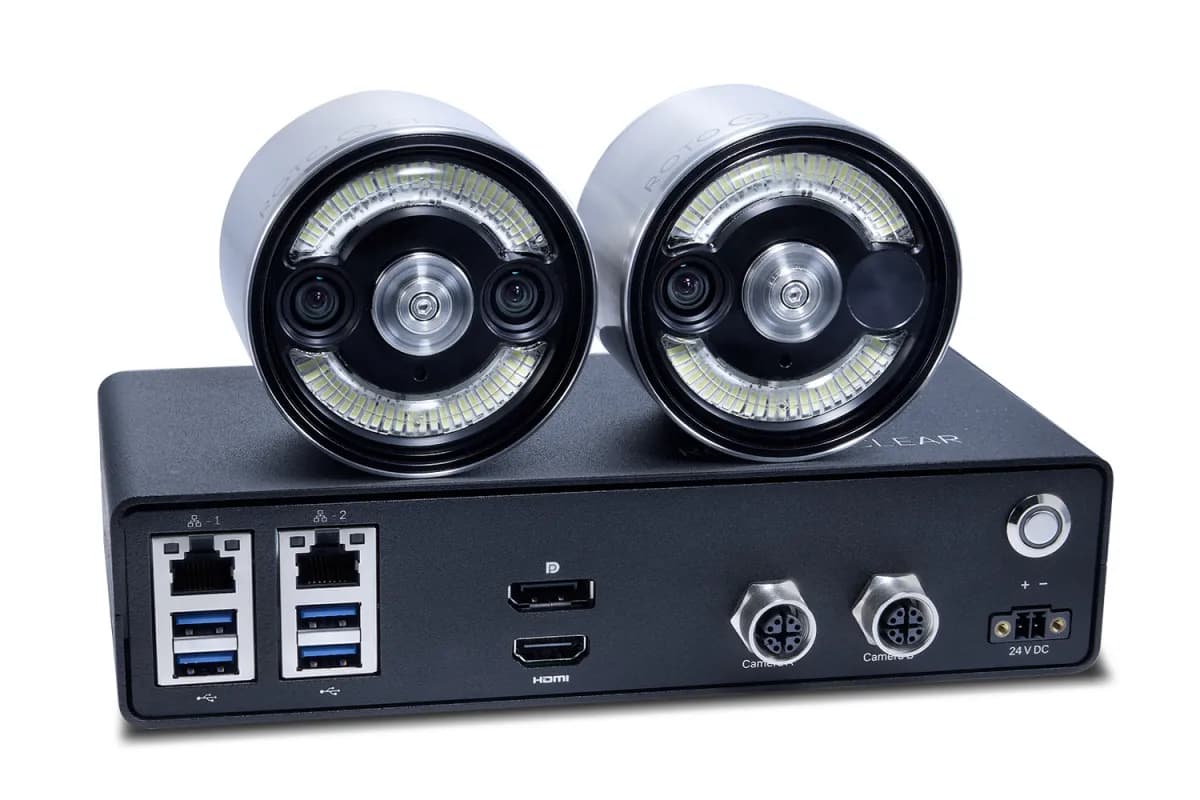 C Pro C Pro | |
|---|---|---|---|
| C2 and C Pro | |||
| Network / web streaming | Not included | Included | Included |
| Touch-friendly interface | Not included | Included | Included |
| Remote viewing | Not included | Included | Included |
| Network integration | Not included | Included | Included |
| Over-the-air software updates | Not included | Included | Included |
| Open API | Not included | Included | Included |
| Recording resolution | Not included | Max. FullHD | Max. 4K |
| Exportable recordings | Not included | Included | Included |
| C Pro only | |||
| Adjustable lighting | Not included | Not included | Included |
| Tap-to-focus lenses | Not included | Not included | Included |
| Continuous background recording with a searchable timeline | Not included | Not included | Included |
| Event tagging for quick lookup | Not included | Not included | Included |
| Onboard storage | Not included | Not included | Included |
| Slow-motion capture | Not included | Not included | Included |
| Time-lapse capture | Not included | Not included | Included |
| Configure & get a quote | Configure & get a quote | Configure & get a quote | |
C2 vs C Basic: FAQ
What is the difference between the Rotoclear C2 and the C Basic?
The C Basic has one camera head and an HDMI output for a live 4K view. The C2 supports up to two camera heads, streams over the network, and can record specific process steps to external storage.
Can I upgrade a Rotoclear C Basic to a C2?
Yes. The C Basic is designed as a starting point: you can step up to the networked, dual-head C2 when you need more.
Do I need a C Pro to record every job?
Yes. The C2 records specific steps on demand; automatic recording of every job is what the C Pro adds.
Downloads
Manufacturer documentation
Official Rotoclear resources for the C2 — hosted by Rotoclear, not AllCNC, so they always reflect the current release.
Ready to spec a C2?
Configure your lens, cable, and mount options and get a written quote from AllCNC.