
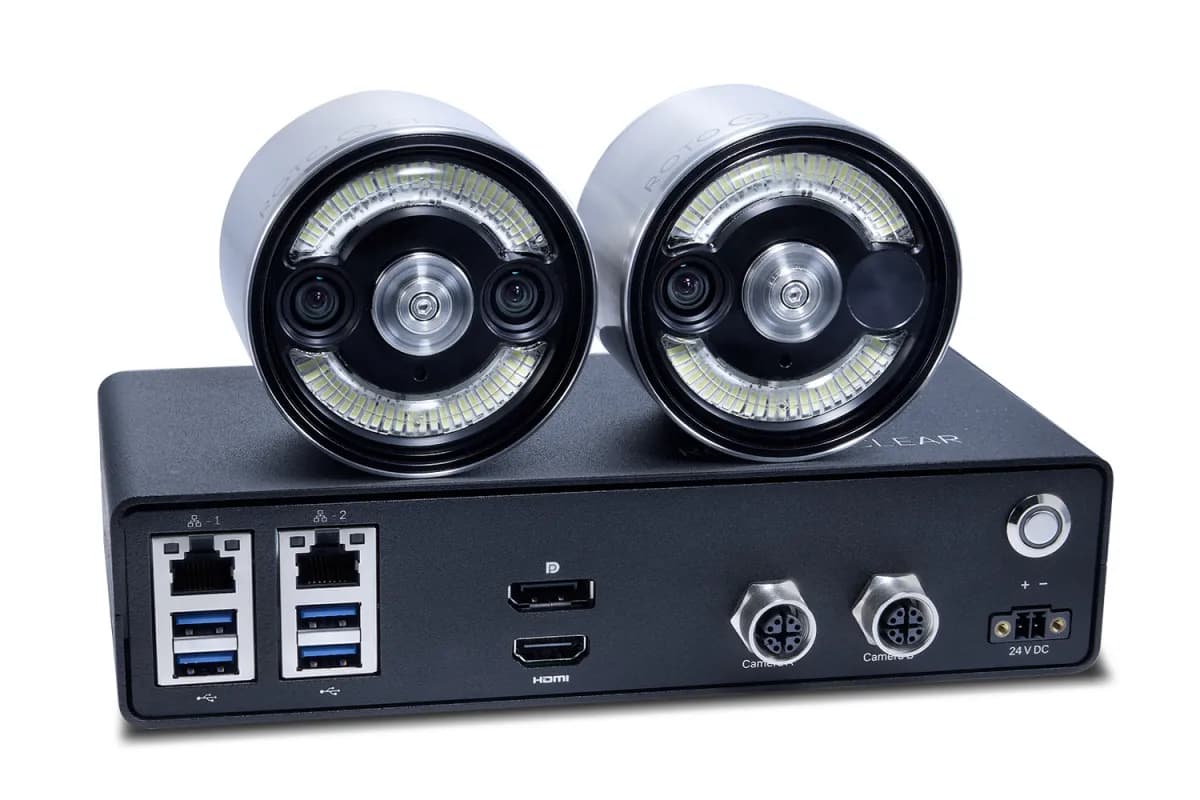
Rotoclear C Pro
Detect the undetected.
The Rotoclear C Pro records every job in up to 4K at 60 fps — two camera heads, Visual Backup, Timeline — and with ChipDetect AI it watches the chips so you don't have to.
ChipDetect AI
Premiered at IMTS 2026, Booth 236435. Now available in the US and Canada through All CNC.
ChipDetect AI — the camera that understands what it sees
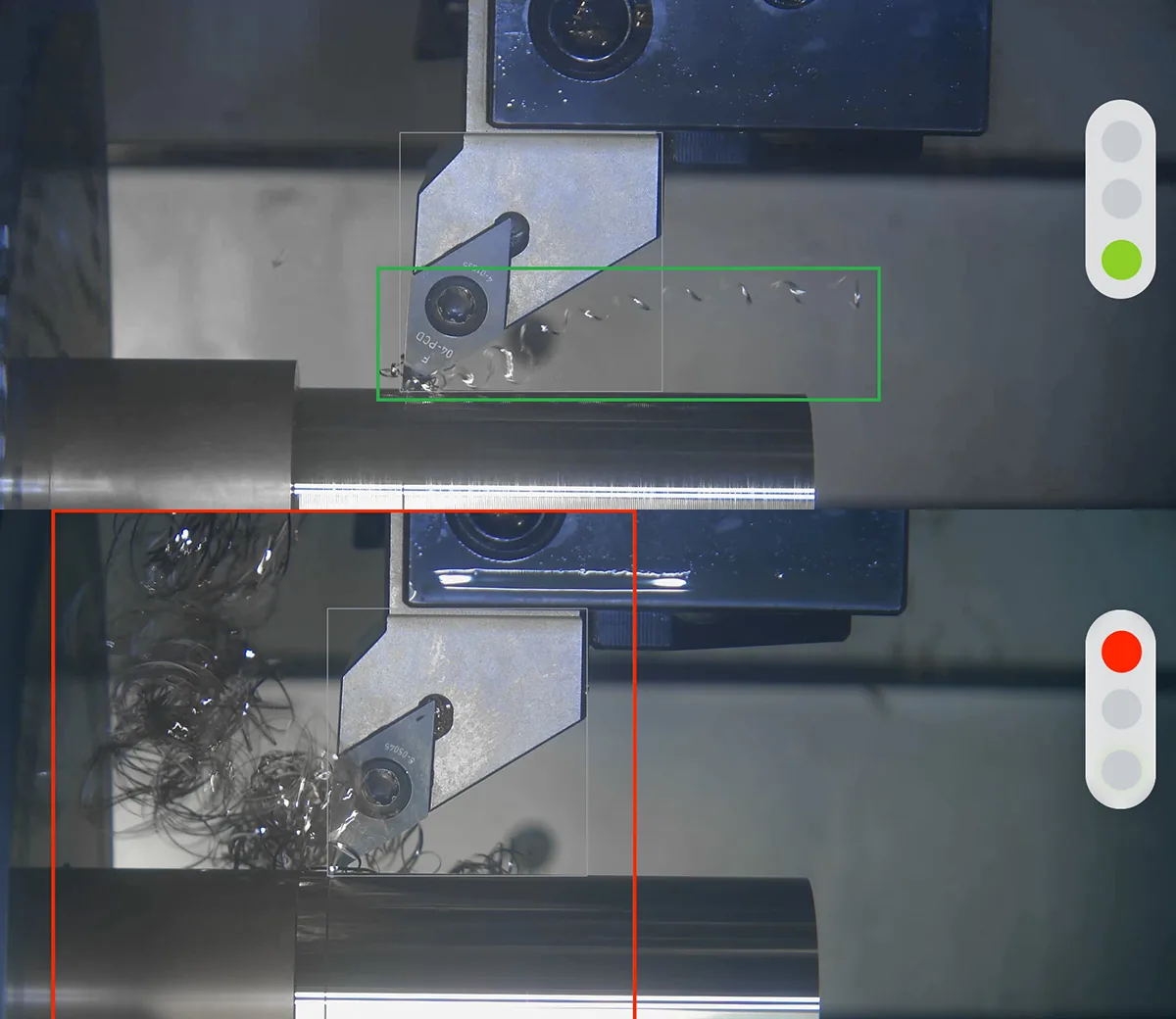
Long, stringy chips wrap around your tool. Chip nests build up next to the workpiece. By the time anyone sees it, the surface is scratched, the tool is done, or the crash already happened — usually on the unmanned shift.
ChipDetect AI turns the Rotoclear C Pro from a camera into a process watchdog. The AI analyzes the live image from inside your machine, classifies every chip it sees — from tangled and ribbon chips down to medium and small, stable chips — and flags critical chip nests and jams as they form.
Runs exclusively on the Rotoclear C Pro. Sales, installation, and support from All CNC — the people who work inside these machines every day.
Quoted as C Pro + ChipDetect AI module — one quote, one point of contact.
Best ordered together: adding ChipDetect AI to an existing C Pro later costs significantly more than including it with your system.
ChipRisk
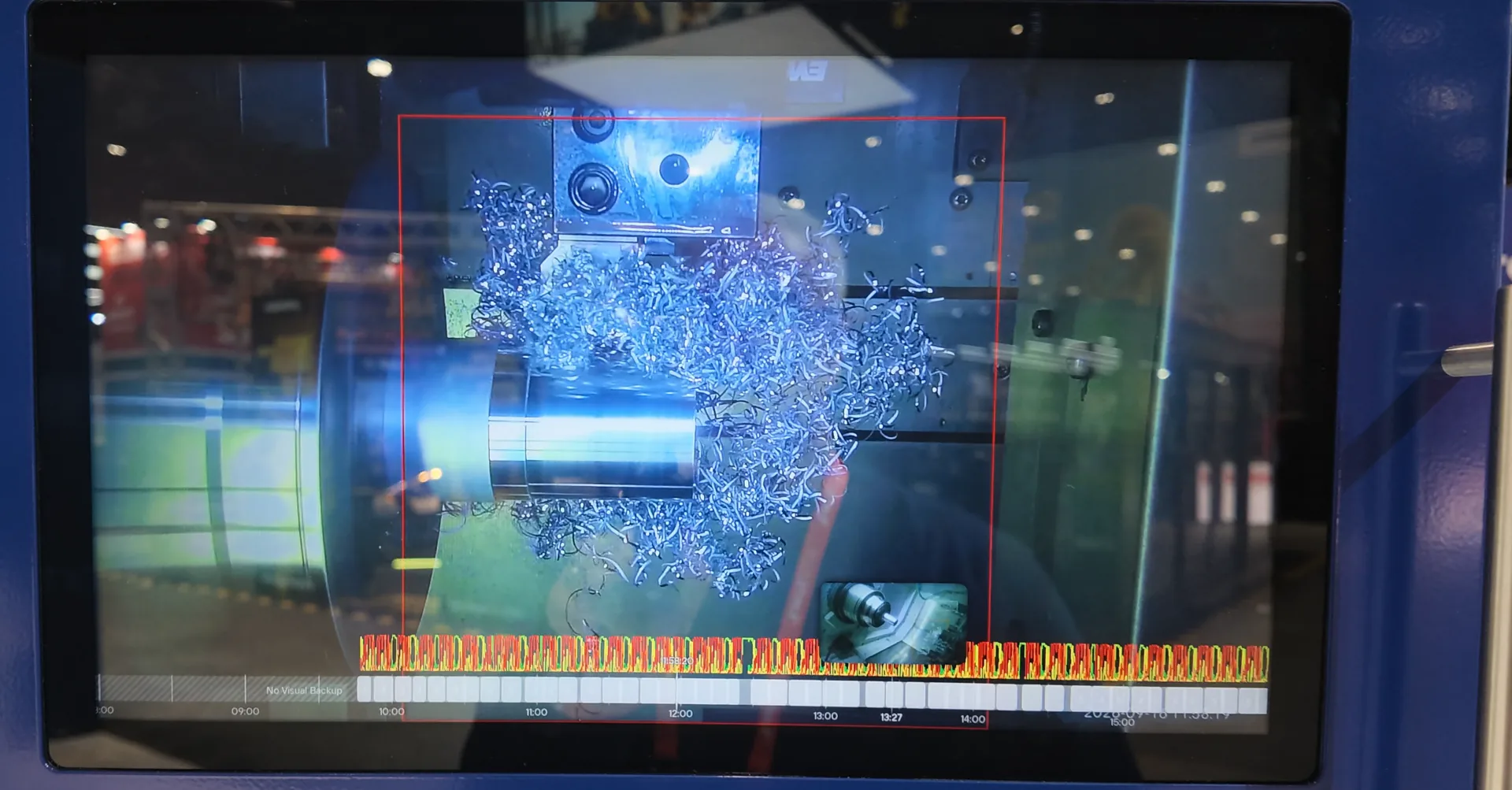
One glance tells you if the process is stable or heading for trouble. Watch one machine or a whole row of them, on the control, on a screen in the office, or remotely.
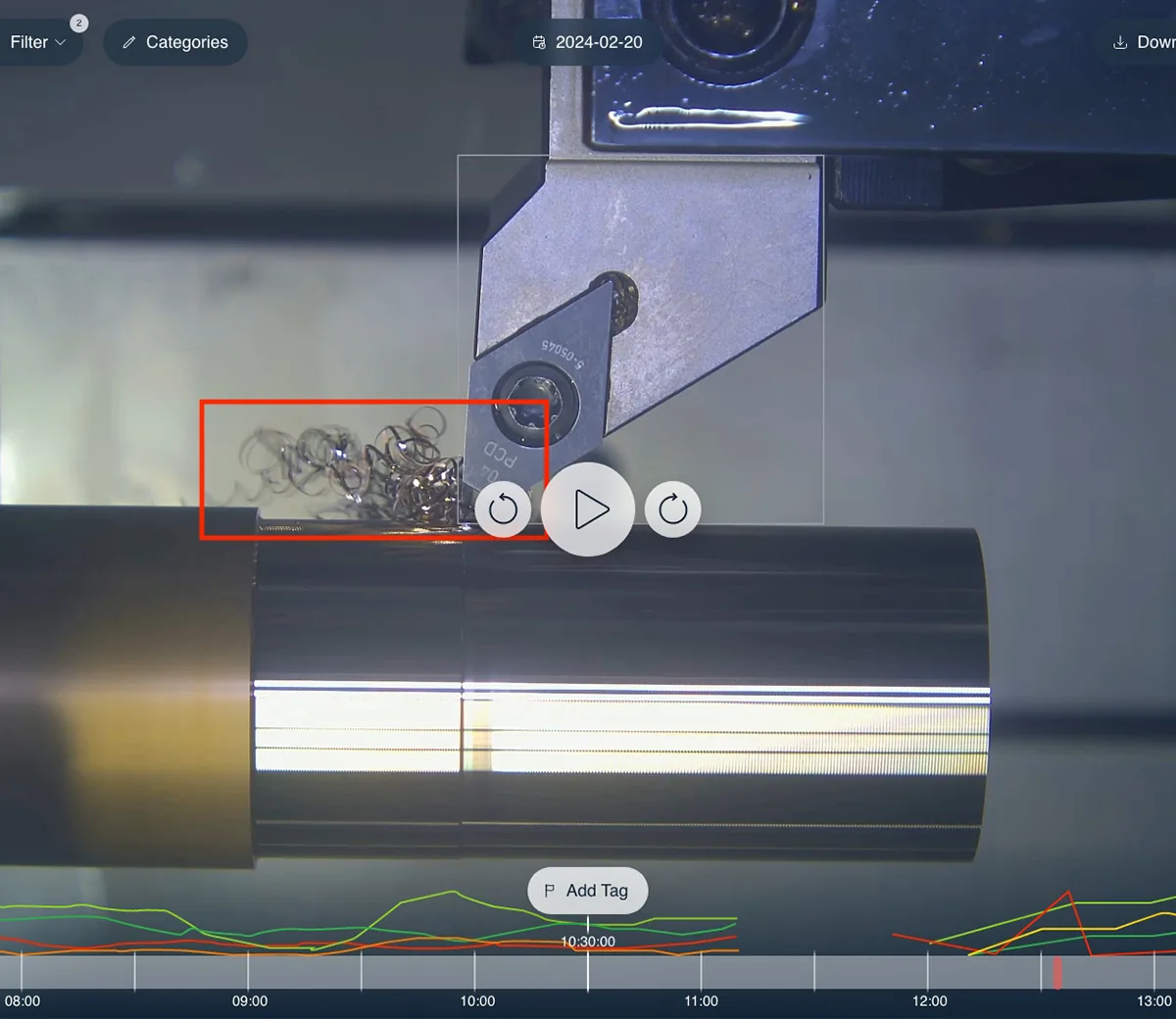
ChipReview
Every chip class, tracked across the entire job on the C Pro timeline. When something went wrong at 2 a.m., you scroll to the tag, see the cause, and fix the parameter — not the symptom.
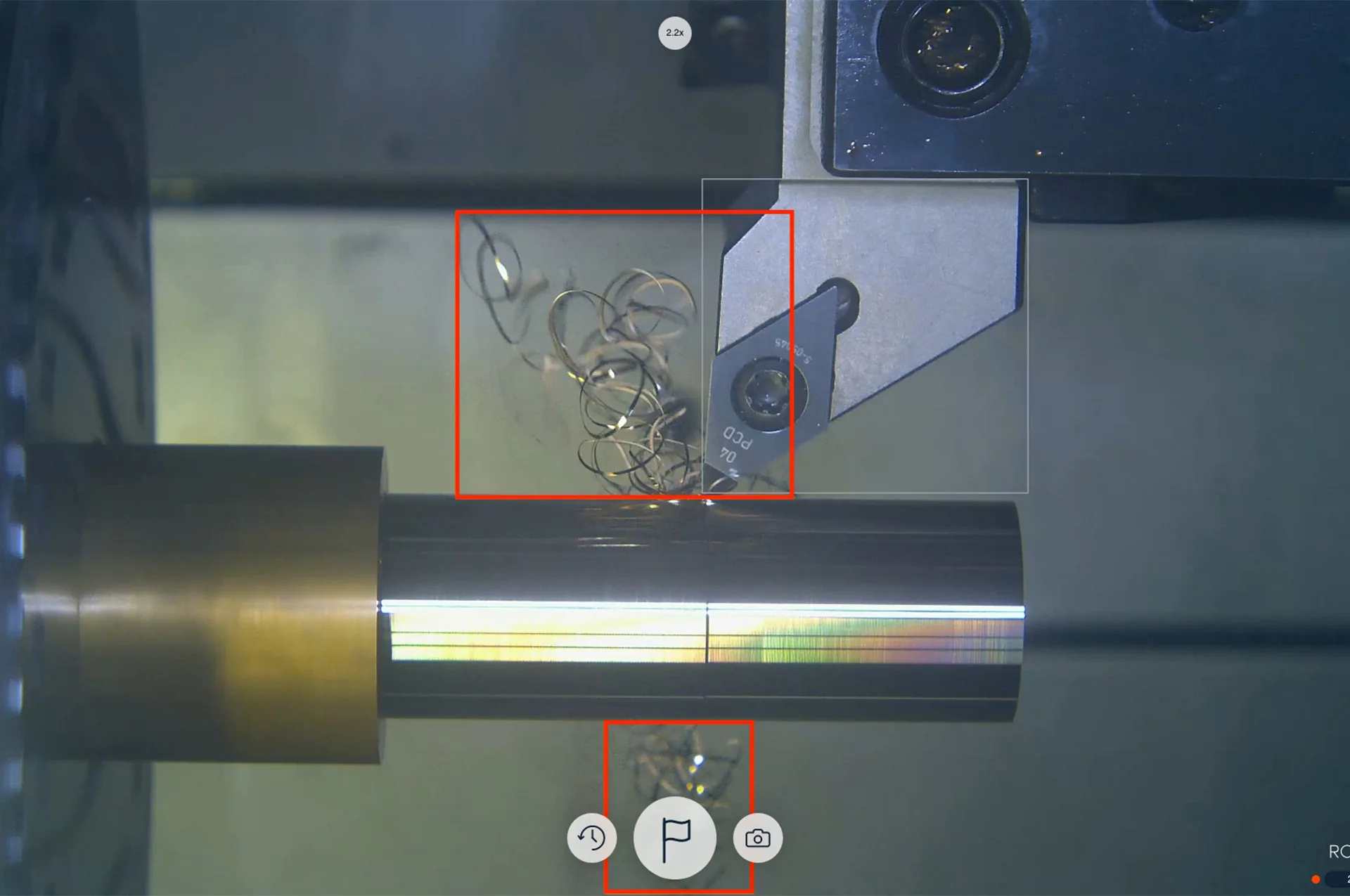
Real-time detection
Chip shapes and chip-related conditions are identified directly in the live image, including tangled and ribbon chips as well as medium and small chip shapes.
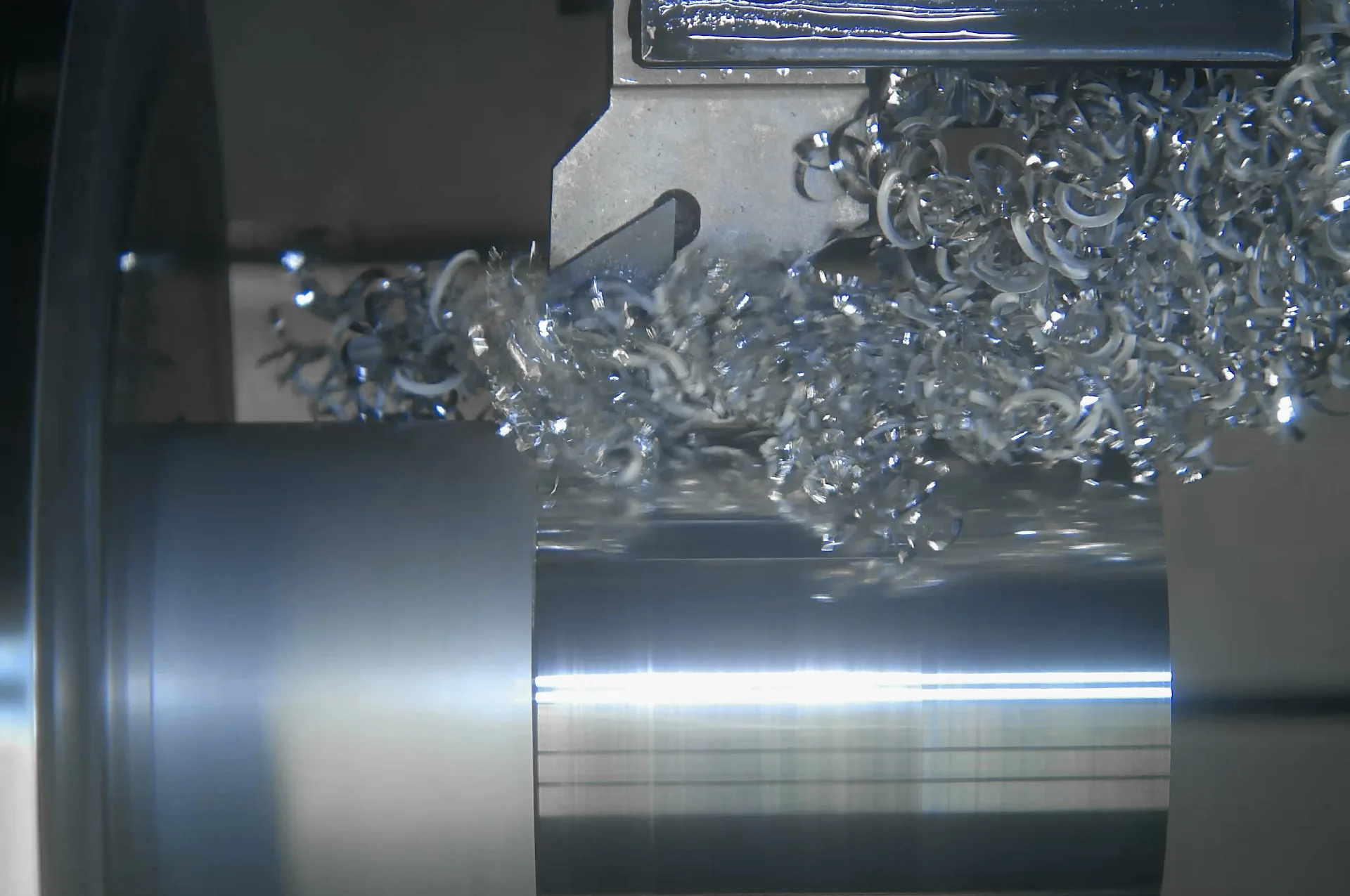
Trained on YOUR machines
The subscription includes two custom training rounds per year — upload footage from your process, and the AI comes back tuned to your machine, material, and tooling. Your data stays in a closed cycle and is deleted after training. Need more? Individual Training adds two further custom rounds, any time.
License it your way
- Permanent license
- Permanent use of ChipDetect AI, with bugfixes — no AI updates.
- Annual AI Tuning Hub subscription
- Permanent use, two trainings per year tailored to your process, and ongoing AI updates.
- Individual Training
- Addable at any time — includes two further custom training rounds.
We'll quote the option that fits your shop.
Get a quote →The 5 advantages
- Easy prevention of costly damage
- Increase productive machine time
- Reduce scrap and improve quality
- Confident multi-machine operation
- Lasting optimization of chip formation
Una sola unidad de control. Cada trabajo registrado.
La unidad de control C Pro maneja hasta dos cabezales de cámara y graba continuamente en segundo plano — el respaldo visual conserva automáticamente una ventana móvil de grabación, y la línea de tiempo le permite retroceder exactamente al momento que necesita, en vivo o después. Hasta 4 TB de almacenamiento integrado permiten conservar aproximadamente un mes de grabaciones.
Get a quoteRespaldos visuales
Cada trabajo queda grabado, así puede retroceder y ver exactamente qué pasó — trazabilidad y análisis de colisiones a demanda.
Línea de tiempo y marcado de eventos
Vaya directo al momento que importa. Marque eventos y revise la corrida sin recorrer horas de grabación.
Uno o dos cabezales de cámara
Agregue una segunda perspectiva — primer plano de la herramienta y vista completa de la mesa juntas — controladas por una sola unidad de control C Pro.
Almacenamiento integrado
256 GB, 1 TB o 4 TB — aproximadamente un día, una semana o un mes de grabación HD, dimensionado para su taller.
Always a clear view
Spinning glass windows keep coolant and chips from fogging the lens, so the feed stays usable all shift.
4K resolution, 60 fps
Live view up to 4K at 60 fps, with HD/Full HD for manual recordings.
Tap focus & swipe-zoom
Adjust focus and zoom straight from the live view — no need to touch the camera head.
Stream and record at once
Push live video out over DisplayPort, HDMI, Ethernet, ONVIF or RTSP while Visual Backup keeps recording in the background.
Built-in illumination
Waldmann light sources keep the shot lit regardless of ambient machine lighting.
Wide connectivity
DisplayPort, HDMI, dual Gigabit Ethernet and four USB 3.0 ports cover most control-room setups without adapters.
Open API for custom automation
Build monitoring or automation logic of your own on top of the camera feed through Rotoclear's public API.
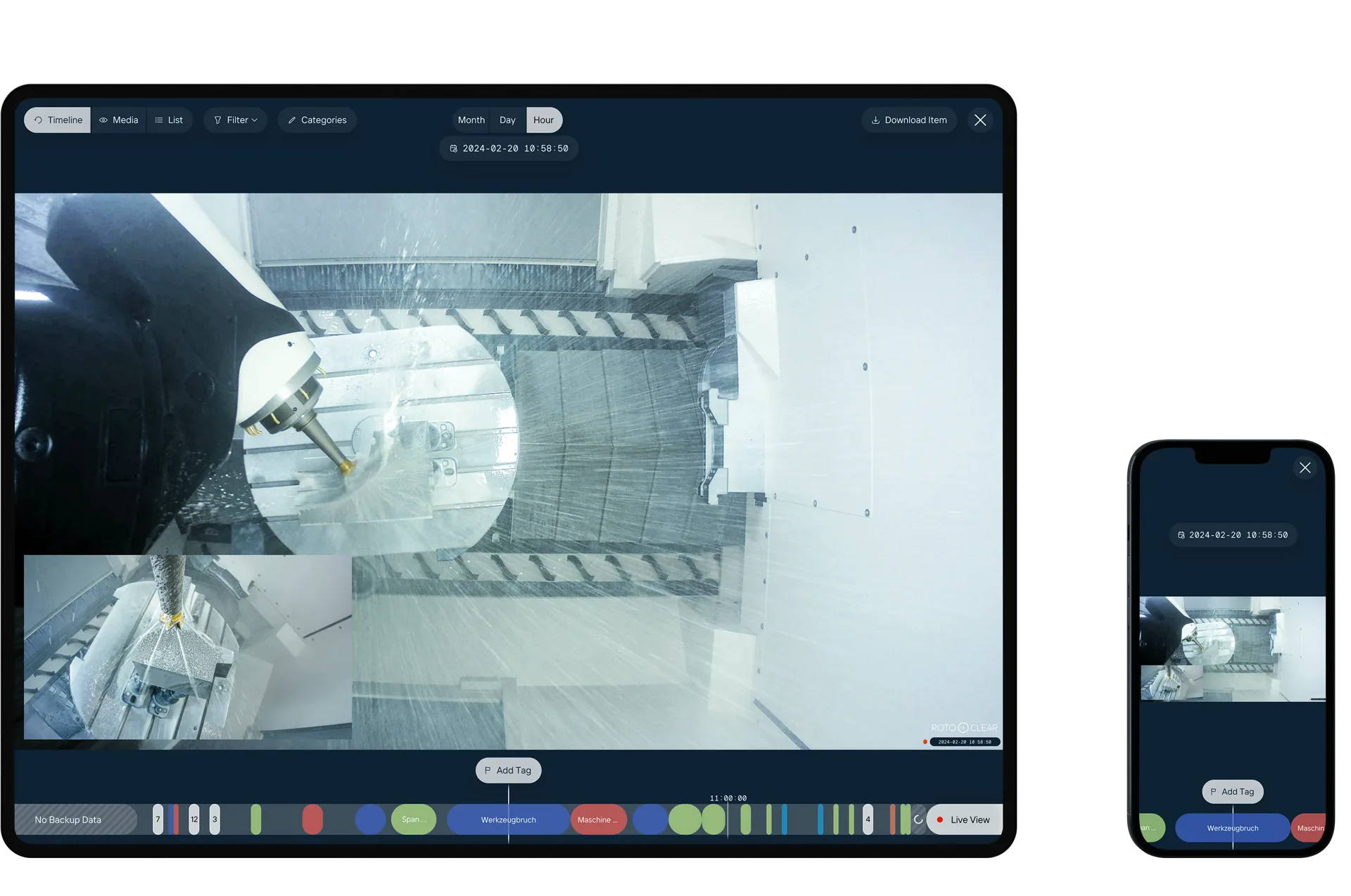
Tag & Spot
Mark specific moments on the Timeline as you notice them — a deviation, an unusual sound, anything worth a second look — then come back to exactly that frame later. Feed machine data through the API and the system can start tagging events like tool changes on its own.
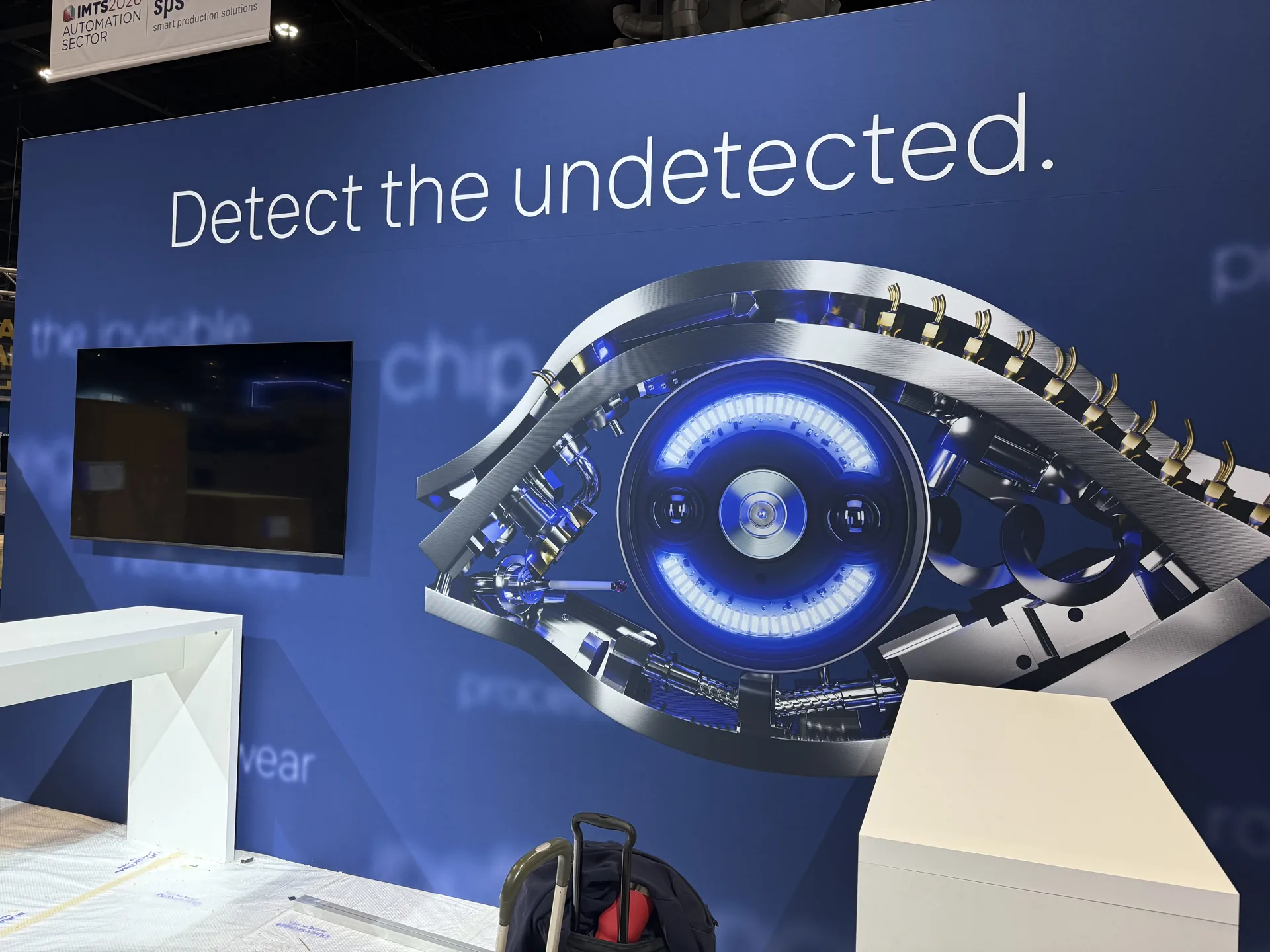
IMTS 2026 · Chicago
Premiered at Booth 236435. Available now.
ChipDetect AI made its debut on the Rotoclear C Pro at IMTS 2026. All CNC sells, installs, and supports it across the US and Canada.
Get a quote →Built for the shop floor
What the C Pro does for your shop
Crash root-cause in minutes
Scroll the Timeline back to the moment it went wrong — tool, clamping, chip nest — instead of guessing from the wreckage.
Unmanned-shift documentation
Visual Backup keeps recording while nobody is there. Up to 4 TB holds roughly 30 days, so the night shift is on record.
Remote multi-machine monitoring
Stream securely over your own network to the control, a screen in the office, or remotely — the feed stays inside your shop's network. One person keeps an eye on a row of machines, old and new.
4K tool-wear checks
Up to 4K at 60 fps plus digital zoom: check the cutting edge between cycles without opening the door.
Independently tested
Penetration-tested. No exploitable vulnerabilities.
In July 2026, Infraforce GmbH — a TÜV Hessen strategic alliance partner — ran an independent IT security analysis (penetration test) of the Rotoclear C Pro control unit and camera head on current software. The result: a small attack surface, system hardening to recognized best practices, and no exploitable vulnerabilities identified. The C Pro is designed to run inside your own trusted shop network.
Read the summary (PDF, DE/EN) ↗The hardware
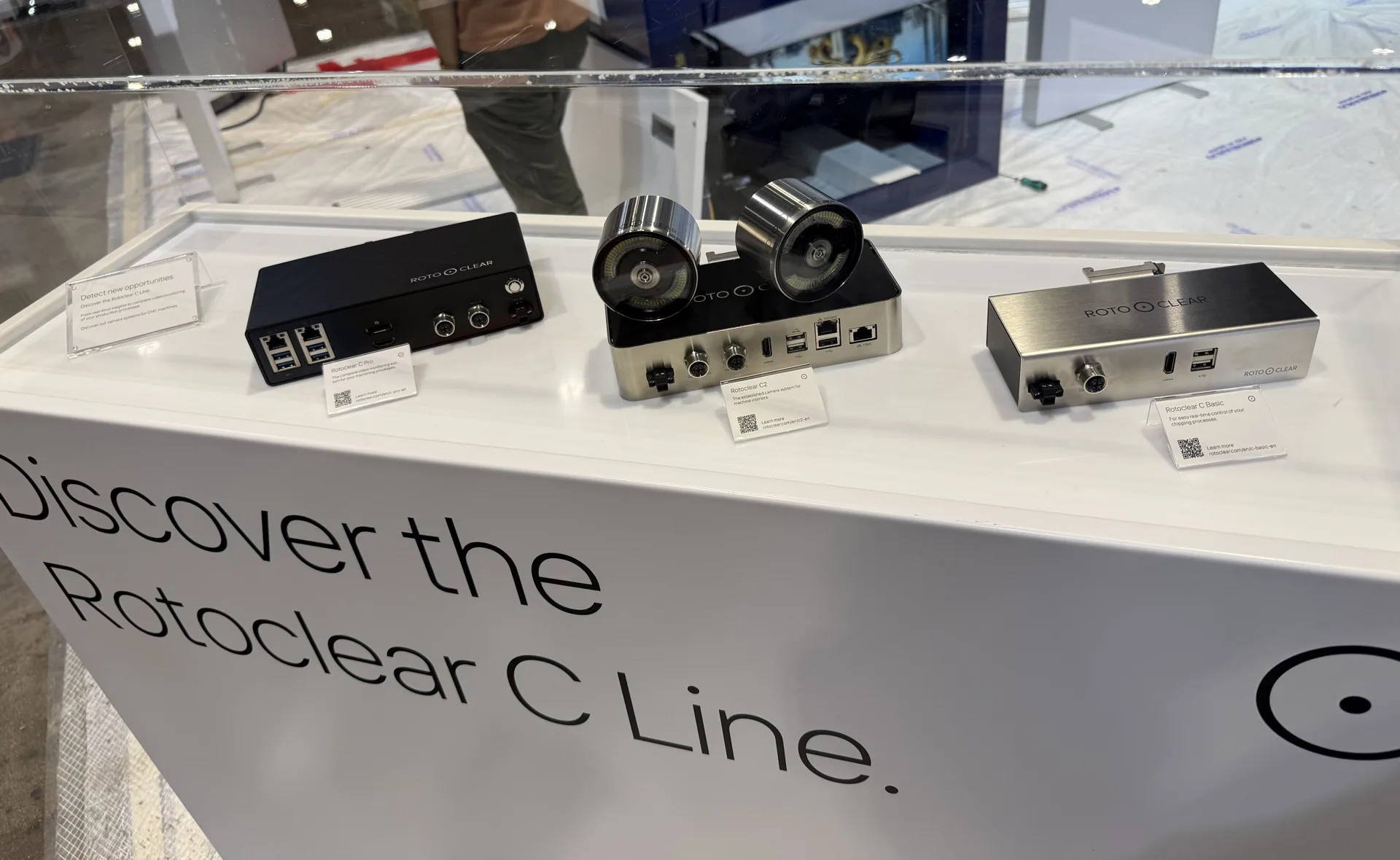
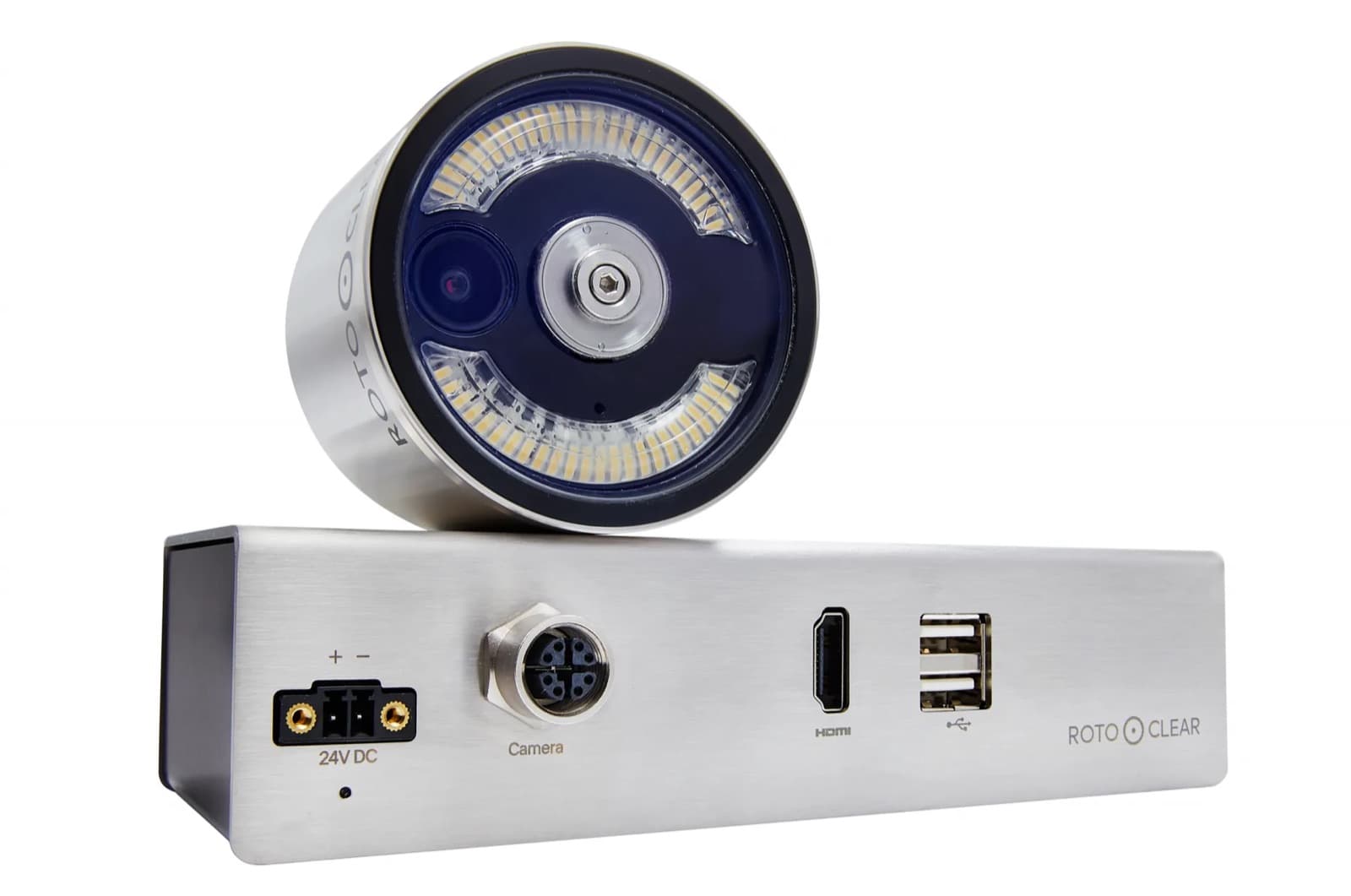
Two camera heads. One control unit. Built for the inside of a machine.
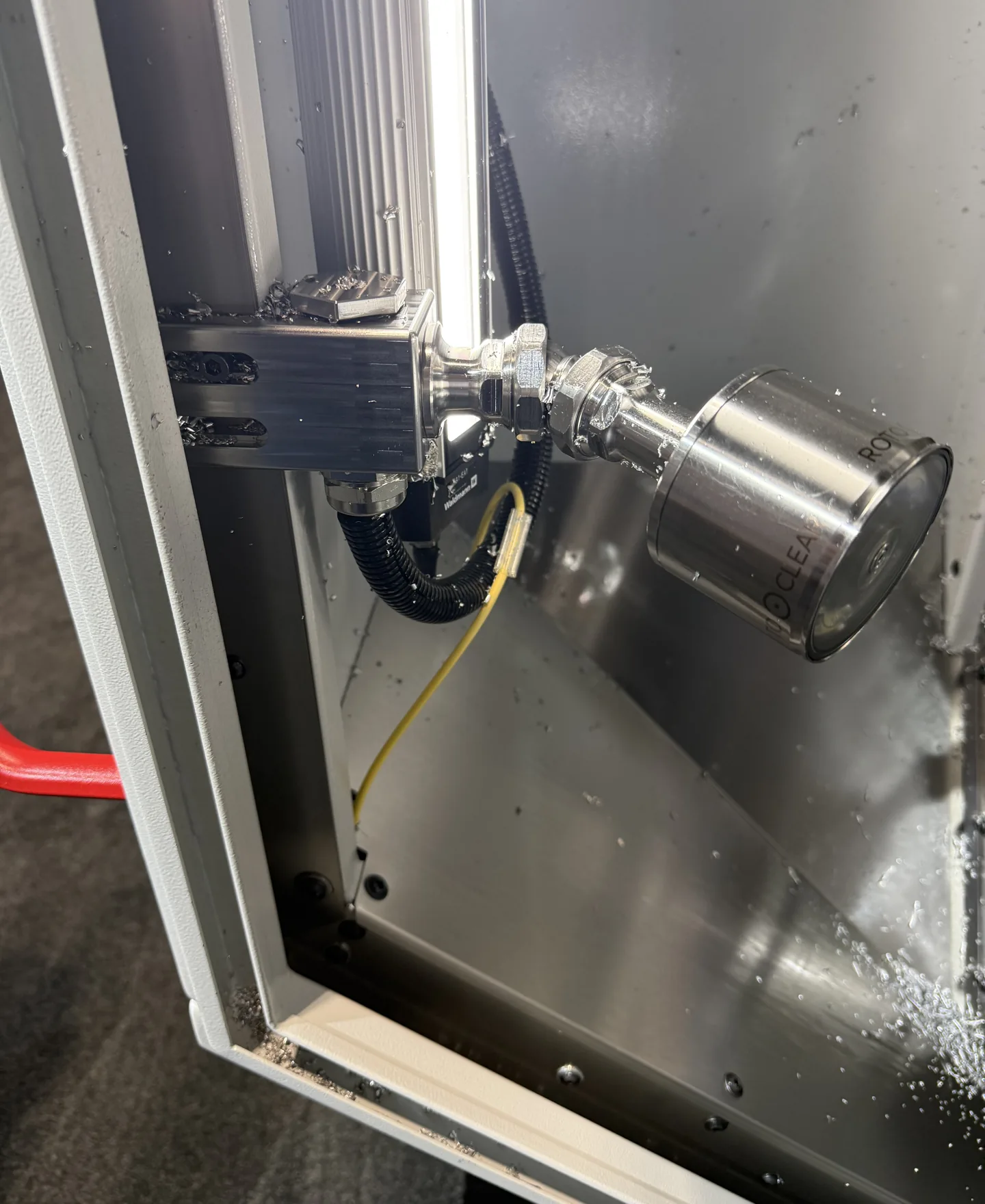
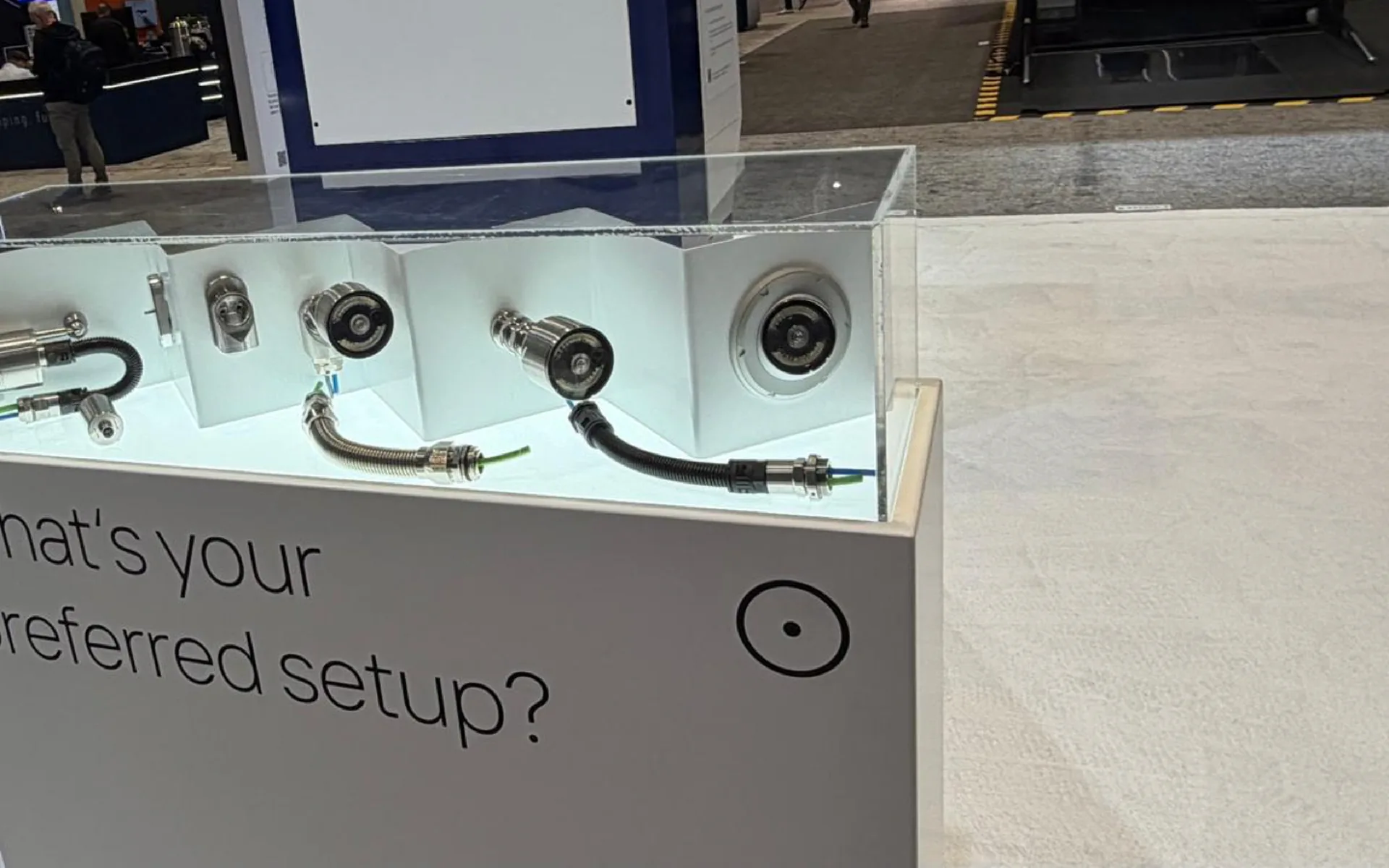
Shot at our IMTS 2026 booth: the C-line camera heads and control units, a head mounted inside a running enclosure, and the ball and flex-arm mounting options.
Cabezales de cámara para cada ángulo
Elija la óptica por cabezal: F1 detalle cercano de la herramienta (200 a 500 mm), F2 vista amplia desde el techo o la pared (500 a 6000 mm), o la opción F1+F2 doble para alternar entre ambas.
Las ópticas de enfoque táctil TFT y gran angular TFW agregan control de enfoque en pantalla — la TFT también puede combinarse con F1 o F2 en un cabezal combinado.
Piezas 10083 · 10084 · 10090 · 10471 · 10470 · 10472 · 10691 · 10692
Móntelo a su manera
Los mismos cuatro sistemas de montaje compartidos en toda la serie C cubren cada pared de máquina y línea de visión.
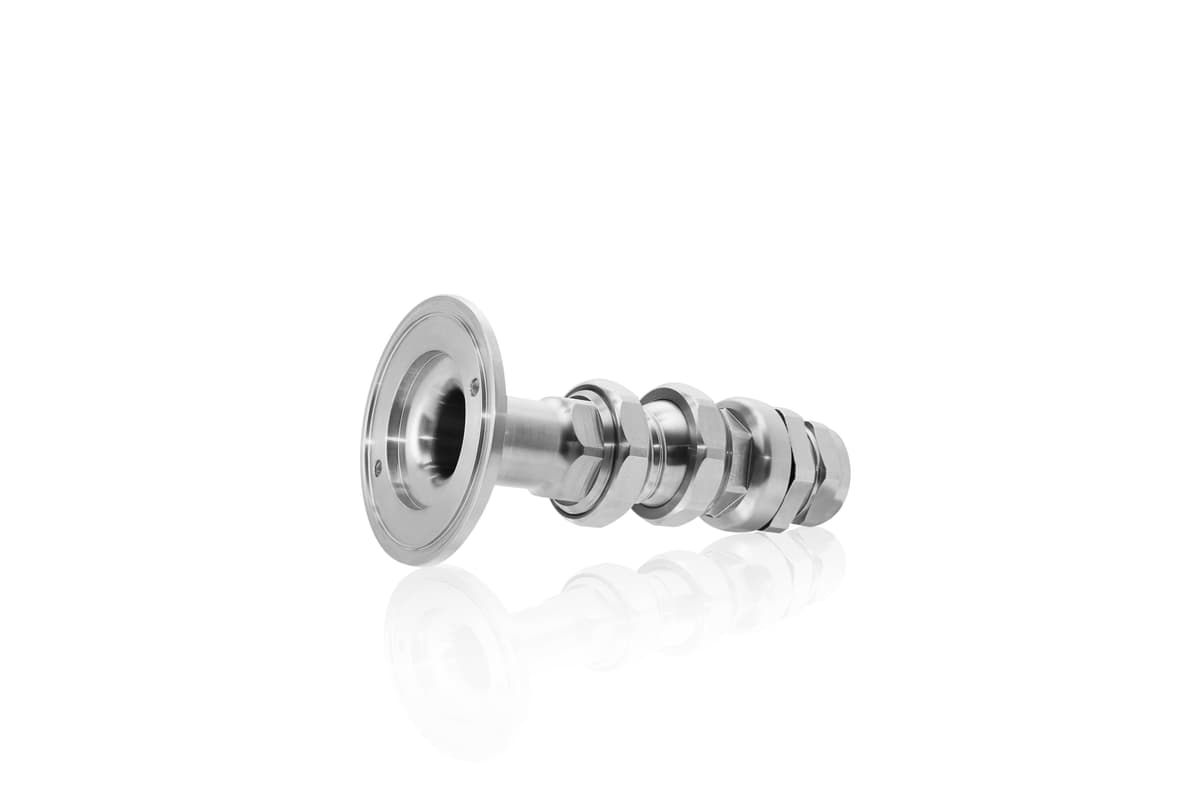
Brazo flexible — pasamuro
Montado en la pared de la máquina, los cables van por fuera
Pieza 10144
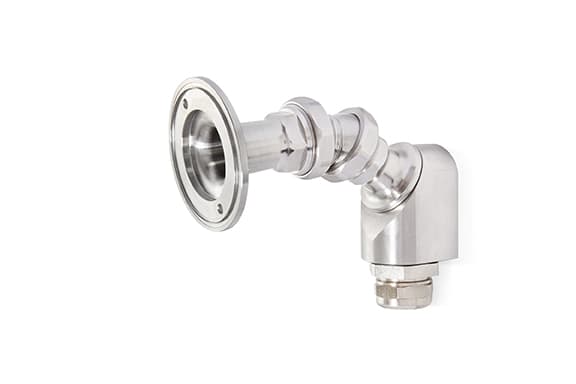
Brazo flexible — sobre muro
Atornillado frente a la pared — instalación fácil
Pieza 10178
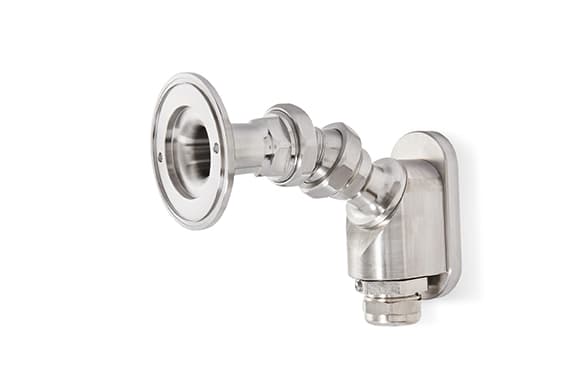
Brazo flexible — magnético
Sujeto por imán — encuentre primero la posición perfecta
Pieza 10222
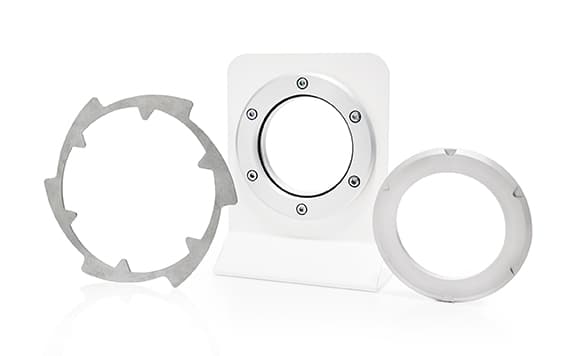
Montaje esférico
Enrasado en la pared — mínima acumulación de viruta
Pieza 10229
Benefits
What the C Pro actually changes on the floor
Eleven ways continuous, recorded process video pays for itself — condensed from the manufacturer's own case for the system.
- Confirm clamping holds through a production run
- Catch chip nests building up before they cause a crash
Typical applications
Where the C Pro earns its keep
From prototype to production run
One-offs, small series, or long batch runs — catch the problem the first time the part runs, not after a night of scrap.
Complex part machining
Watch multi-operation or geometrically tricky jobs closely enough to catch a problem before it becomes scrap.
Long-term process optimization
Build a video record to drive a continuous-improvement program, not just a one-time check.
Process documentation
Generate the recorded evidence a post-calculation or a customer dispute needs.
Where to point the camera
Find the view that fits your machine
Tool View
Mounted right where the cutting happens
Mount a head right at the spindle housing, next to the tool holder, for the closest possible look at the cut itself.
Plan this one early — ask your machine builder about a Tool View option when the machine itself is being configured, since fitting this exact position in later can be tight.
Top View
Looking down from the ceiling
A ceiling-mounted head takes in the whole work envelope at once, which pairs well with a tighter Tool View or Side View elsewhere on the same machine.
Align the camera to the machine's X, Y, or Z axis — it makes the picture much easier to read at a glance.
Side View
Watching from the side
A side-mounted head keeps tool changes and the immediate surroundings in view without needing a spindle-mounted position.
When a true Tool View isn't practical — especially on a retrofit — Side View is usually the closest workable substitute.
Configuration
Focus, cable, mount — then a quote
Per head: F1 close-up, F2 far-range, the F1+F2 dual head, or the tap-focus TFT (telemetric) and TFW (wide-angle) liquid lenses. Data cables in 10 m or 20 m, extended up to 60 m with C-Extender amplifiers. Ball mount flush in the wall, or a flex arm through-wall, pre-wall, or magnetic. Pick your setup below, then send it in for a quote.
Get a quoteConfigure your C Pro
Build the system for your machine
Every C Pro ships as a configuration, not a fixed SKU — pick the lens per head, the cable run, and how it mounts.
Camera-head lens options
Each head takes its own lens — mix F1 and F2 across two heads, or pick the combined F1+F2 head to switch on the fly.
Lens options at a glance
TFT also ships pre-combined with F1 or F2 in a single head (parts 10692 and 10691).
Data cable length
Native cable runs cover 10 m and 20 m; go further by chaining 20 m segments through C-Extender signal amplifiers (part 10370).
| 10 m | Part 10035 |
| 20 m | Part 10036 |
| 40 m | 1× C-Extender |
| 60 m | 2× C-Extender |
Mounting
Ball, flex-arm through-wall, pre-wall, or magnetic — see "Mount it your way" above for the hardware and part numbers.
Installation dimensions
Plan your mount
Camera head and control unit dimensions for the Rotoclear C Pro, straight from the manufacturer's technical specifications.
- Camera head — diameter2.76 in
- Camera head — length (without mount)1.97 in
- Control unit — length8.07 in
- Control unit — width4.09 in (4.92 in incl. clip)
- Control unit — height1.73 in
Full technical specifications
Rated voltage, power draw, and connectivity for the C Pro control unit.
- Rated voltage
- 24 VDC, protected against reverse polarity
- Power consumption
- 96 W max. (2 camera heads, 4 signal amplifiers)
- Current
- 4 A max. (2 camera heads, 4 signal amplifiers)
- Ethernet
- 2 × 1 Gbit/s
- USB
- 4 × USB 3.0 (900 mA max. each)
- DisplayPort
- 1×
- Video signal
- HDMI (1×)
- Data
- 2 × M12 x-coded (female)
¿Qué sistema le conviene?
Compare los sistemas de cámara Rotoclear
Tres sistemas, un diseño compartido — todas las funciones lado a lado, desde lo que viene integrado en todos hasta lo que solo agrega la C Pro.
 C Basic C Basic | 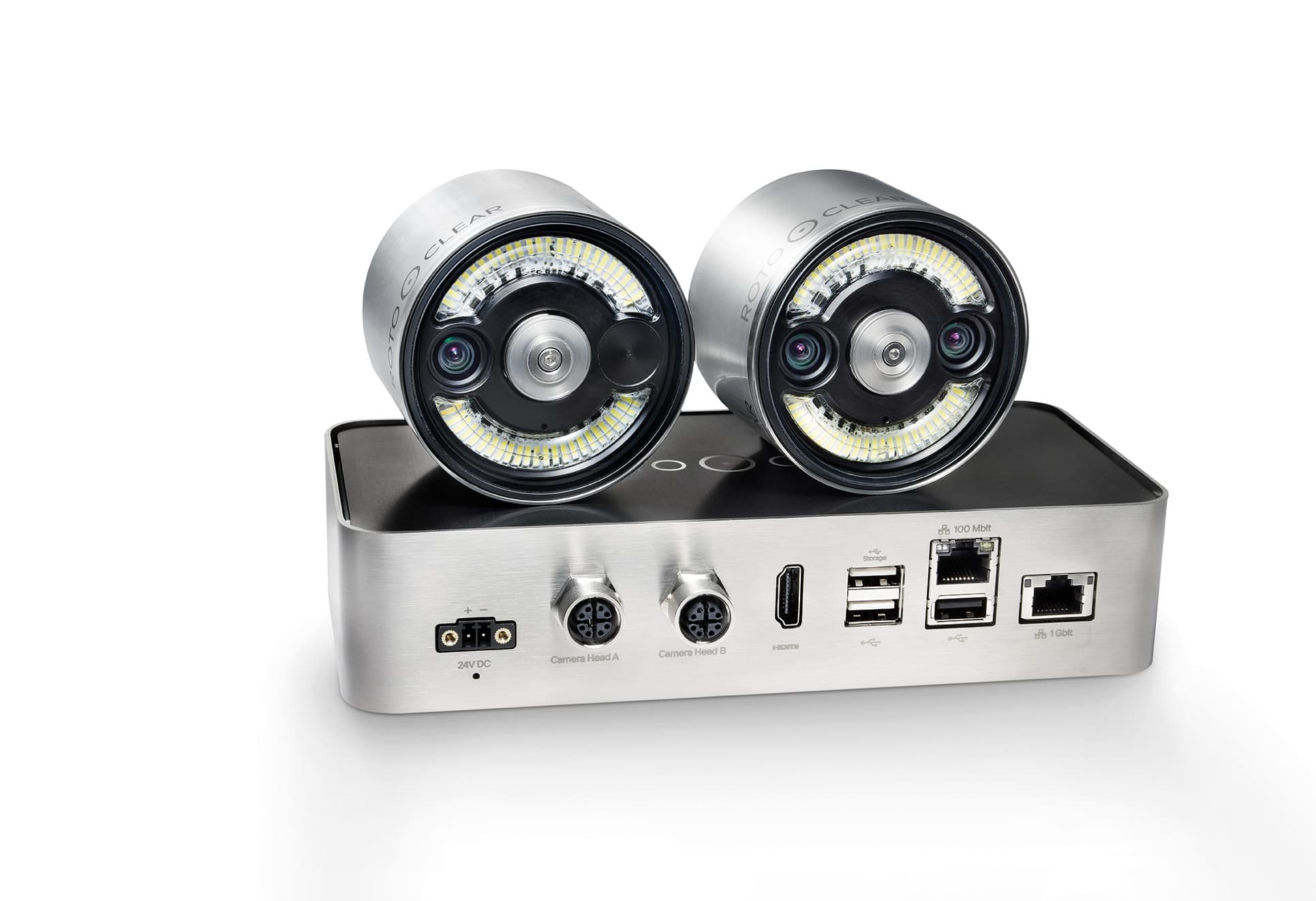 C2 C2 | C Pro | |
|---|---|---|---|
| C2 y C Pro | |||
| Network / web streaming | No incluido | Incluido | Incluido |
| Touch-friendly interface | No incluido | Incluido | Incluido |
| Remote viewing | No incluido | Incluido | Incluido |
| Network integration | No incluido | Incluido | Incluido |
| Over-the-air software updates | No incluido | Incluido | Incluido |
| Open API | No incluido | Incluido | Incluido |
| Recording resolution | No incluido | Max. FullHD | Max. 4K |
| Exportable recordings | No incluido | Incluido | Incluido |
| Solo C Pro | |||
| Adjustable lighting | No incluido | No incluido | Incluido |
| Tap-to-focus lenses | No incluido | No incluido | Incluido |
| Continuous background recording with a searchable timeline | No incluido | No incluido | Incluido |
| Event tagging for quick lookup | No incluido | No incluido | Incluido |
| Onboard storage | No incluido | No incluido | Incluido |
| Slow-motion capture | No incluido | No incluido | Incluido |
| Time-lapse capture | No incluido | No incluido | Incluido |
| Get a quote | Get a quote | Get a quote | |
Downloads
Manufacturer documentation
Official Rotoclear resources for the C Pro — manual and changelog hosted by Rotoclear so they always reflect the current release — plus the independent security analysis summary.
Capture cada trabajo
Configure su C Pro con imágenes en cada paso — su cotización llega por correo electrónico.