
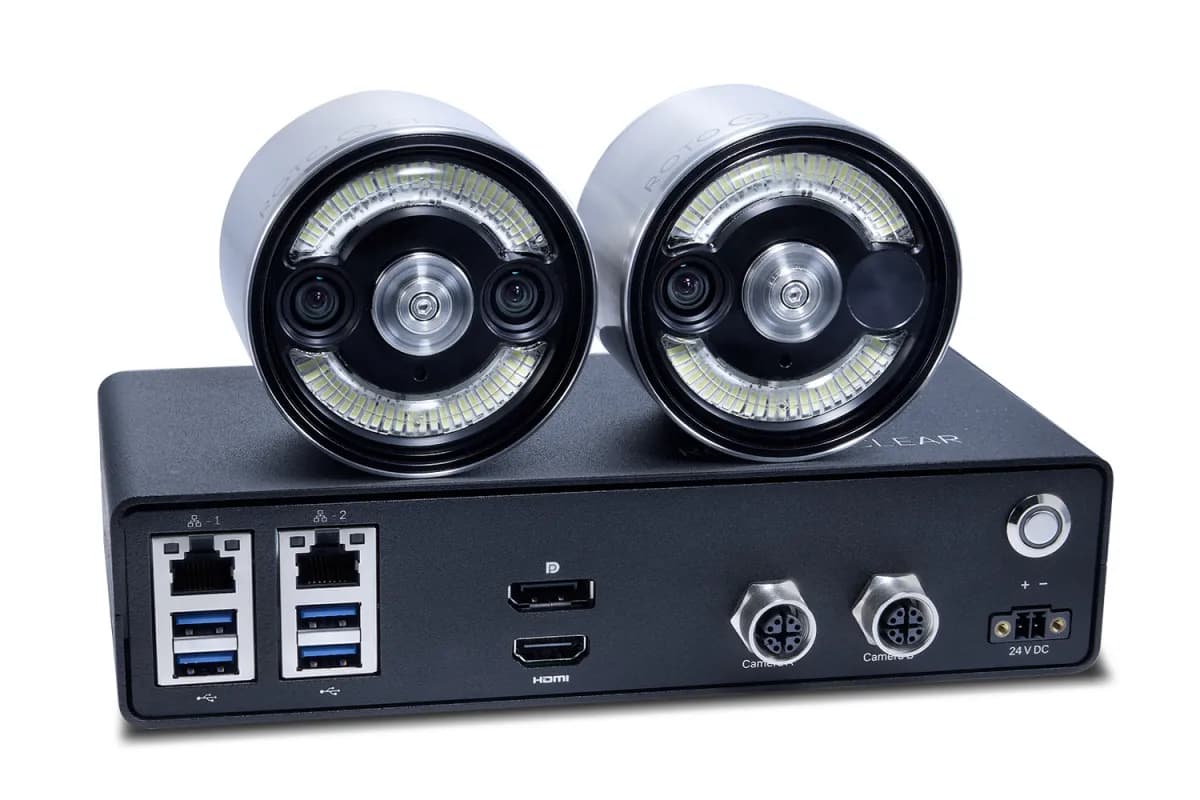
Rotoclear C Pro
Detect the undetected.
The Rotoclear C Pro records every job in up to 4K at 60 fps — two camera heads, Visual Backup, Timeline — and with ChipDetect AI it watches the chips so you don't have to.
ChipDetect AI
Premiered at IMTS 2026, Booth 236435. Now available in the US and Canada through All CNC.
ChipDetect AI — the camera that understands what it sees
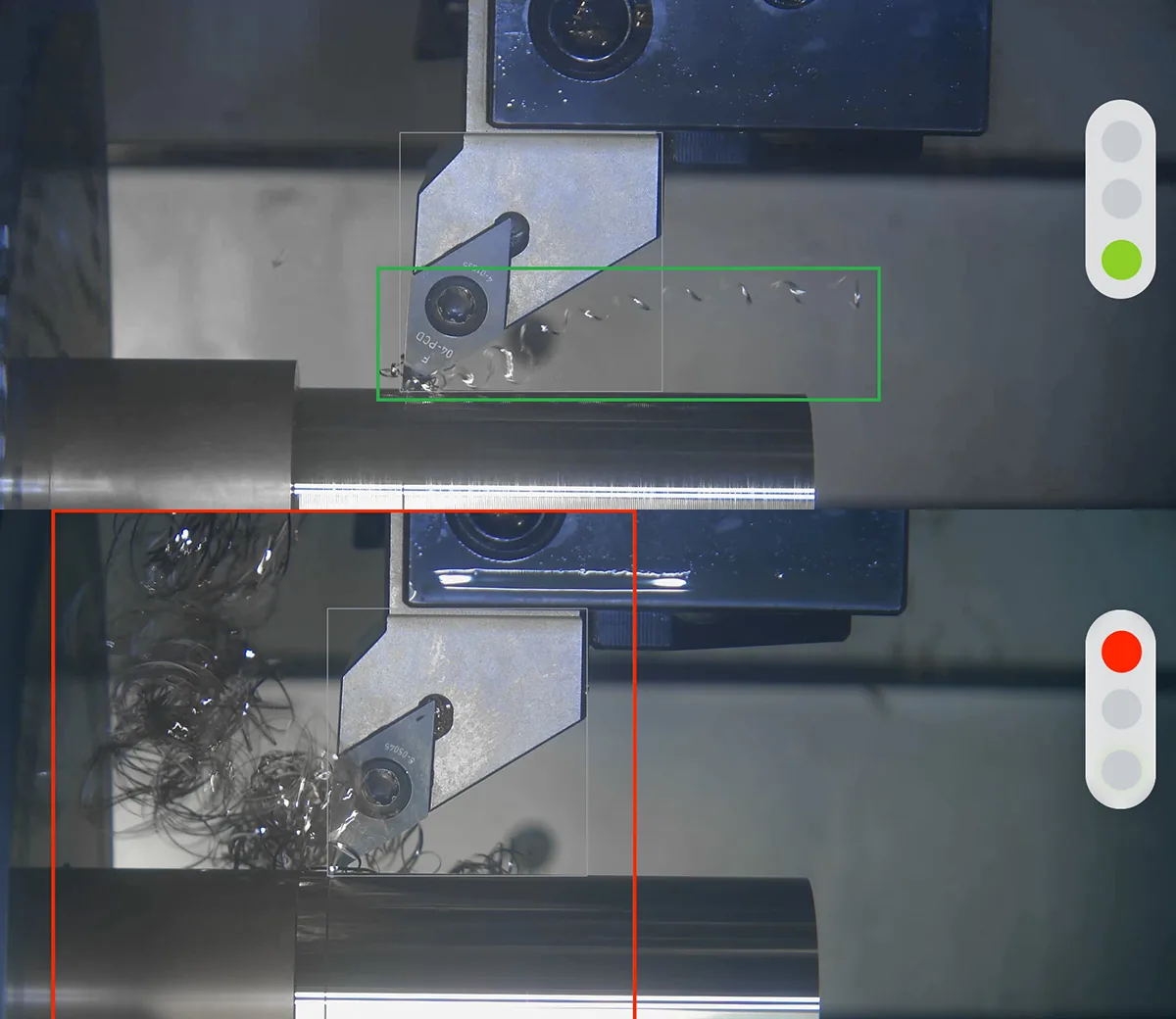
Long, stringy chips wrap around your tool. Chip nests build up next to the workpiece. By the time anyone sees it, the surface is scratched, the tool is done, or the crash already happened — usually on the unmanned shift.
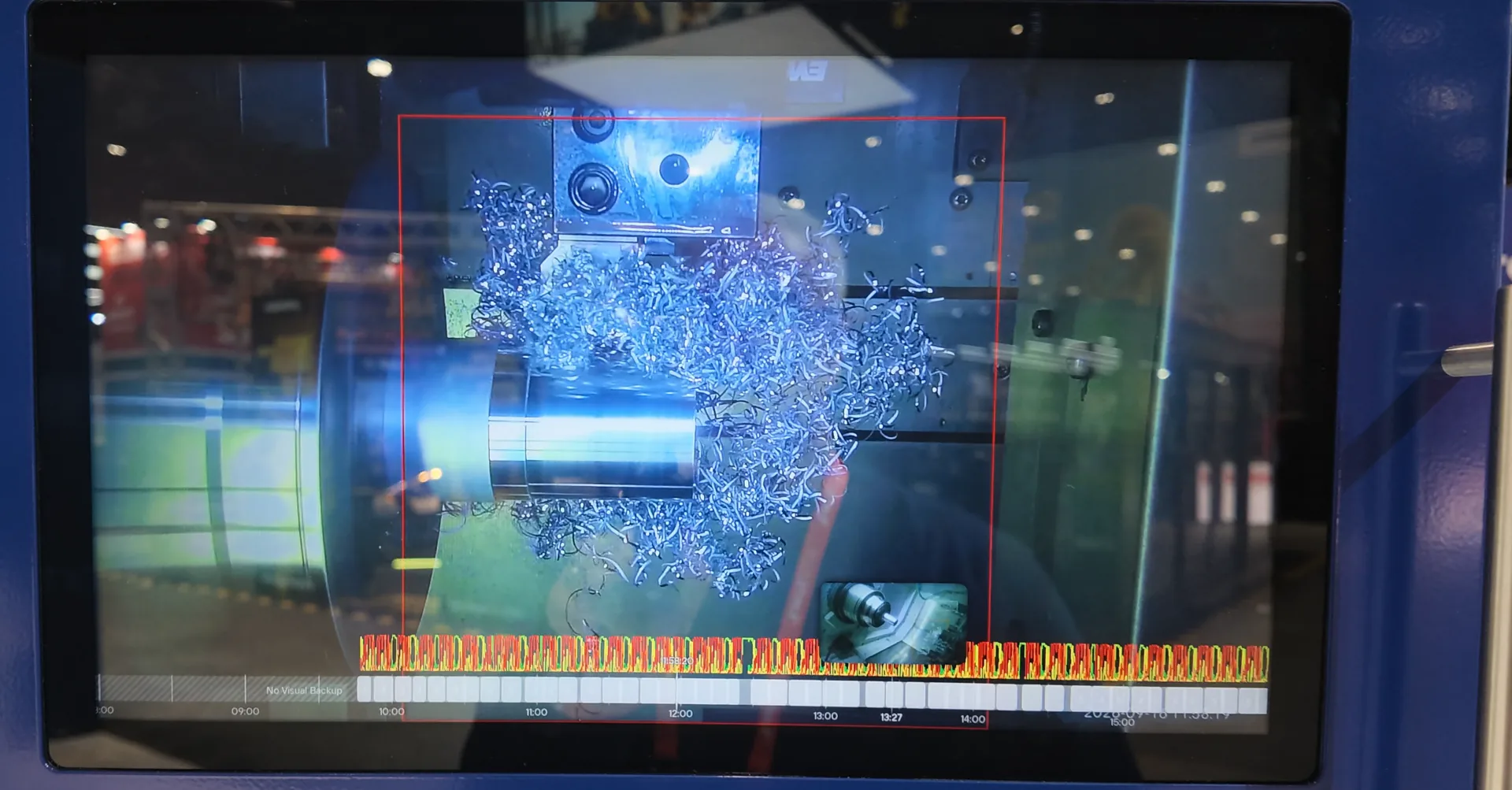
ChipDetect AI turns the Rotoclear C Pro from a camera into a process watchdog. The AI analyzes the live image from inside your machine, classifies every chip it sees — from tangled and ribbon chips down to medium and small, stable chips — and flags critical chip nests and jams as they form.
Runs exclusively on the Rotoclear C Pro. Sales, installation, and support from All CNC — the people who work inside these machines every day.
Quoted as C Pro + ChipDetect AI module — one quote, one point of contact.
Best ordered together: adding ChipDetect AI to an existing C Pro later costs significantly more than including it with your system.
ChipRisk
One glance tells you if the process is stable or heading for trouble. Watch one machine or a whole row of them, on the control, on a screen in the office, or remotely.
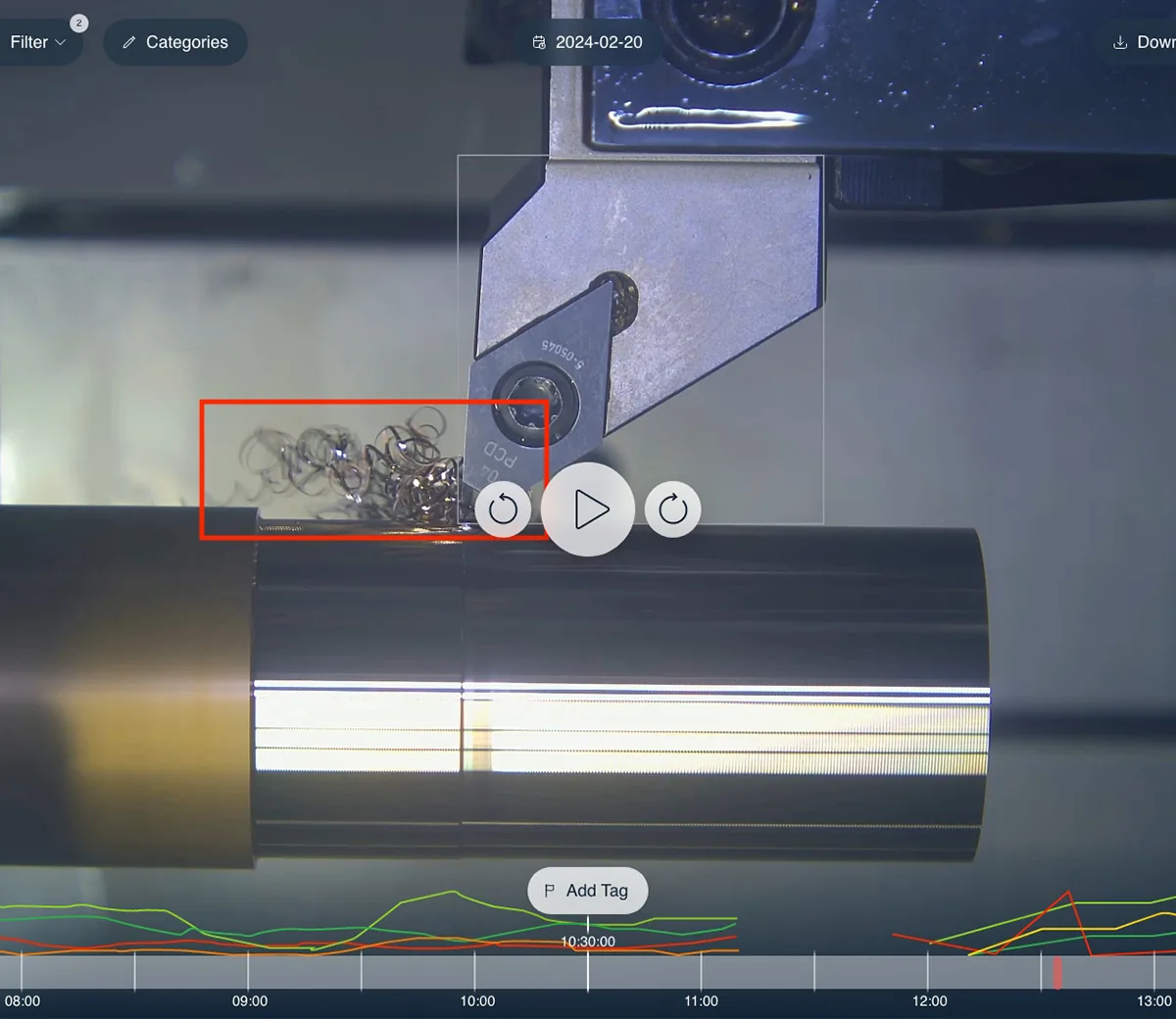
ChipReview
Every chip class, tracked across the entire job on the C Pro timeline. When something went wrong at 2 a.m., you scroll to the tag, see the cause, and fix the parameter — not the symptom.
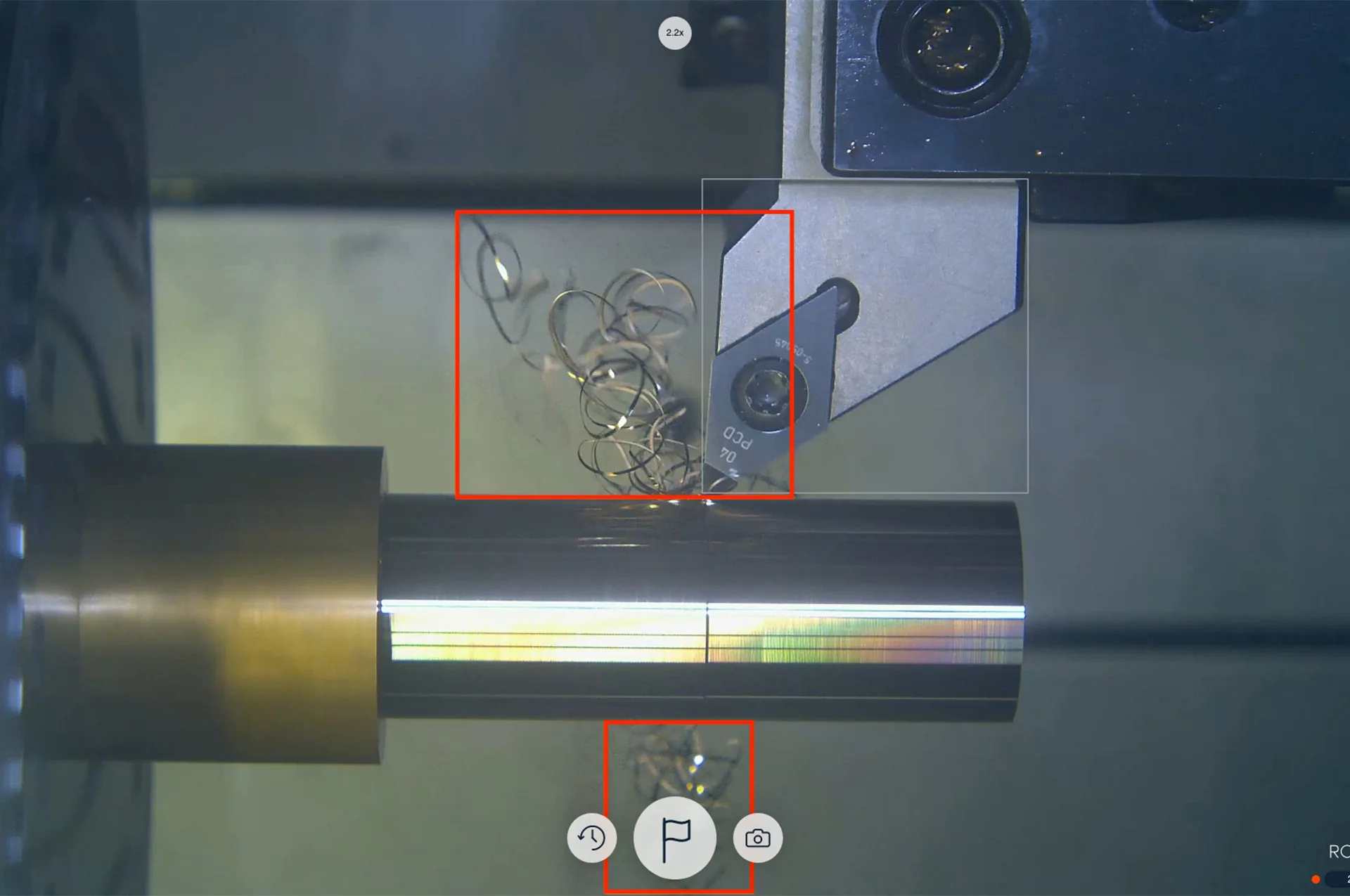
Real-time detection
Chip shapes and chip-related conditions are identified directly in the live image, including tangled and ribbon chips as well as medium and small chip shapes.
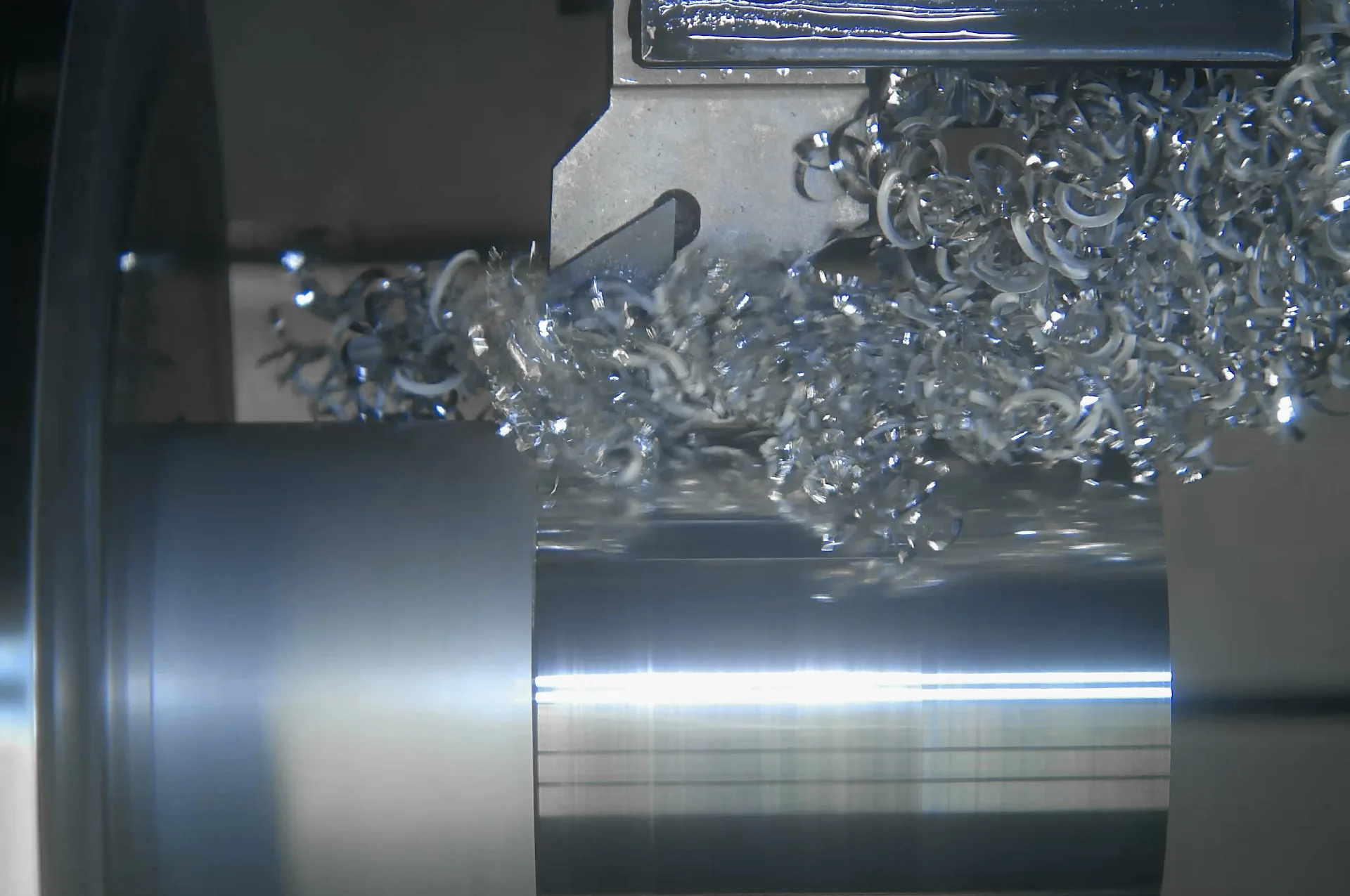
Trained on YOUR machines
The subscription includes two custom training rounds per year — upload footage from your process, and the AI comes back tuned to your machine, material, and tooling. Your data stays in a closed cycle and is deleted after training. Need more? Individual Training adds two further custom rounds, any time.
License it your way
- Permanent license
- Permanent use of ChipDetect AI, with bugfixes — no AI updates.
- Annual AI Tuning Hub subscription
- Permanent use, two trainings per year tailored to your process, and ongoing AI updates.
- Individual Training
- Addable at any time — includes two further custom training rounds.
We'll quote the option that fits your shop.
Get a quote →The 5 advantages
- Easy prevention of costly damage
- Increase productive machine time
- Reduce scrap and improve quality
- Confident multi-machine operation
- Lasting optimization of chip formation
Une seule unité de commande. Chaque travail enregistré.
L'unité de commande C Pro pilote jusqu'à deux têtes de caméra et enregistre en continu en arrière-plan — la sauvegarde visuelle conserve automatiquement une fenêtre glissante de séquences, et la chronologie vous permet de revenir exactement au moment voulu, en direct ou après coup. Jusqu'à 4 To de stockage intégré permettent de conserver environ un mois d'enregistrements.
Get a quoteSauvegardes visuelles
Chaque travail est enregistré, ce qui vous permet de revenir en arrière et de voir exactement ce qui s'est passé — traçabilité et analyse des collisions sur demande.
Chronologie et marquage d'événements
Allez directement au moment qui compte. Marquez les événements et revoyez l'exécution sans parcourir des heures de séquences.
Une ou deux têtes de caméra
Ajoutez une deuxième perspective — gros plan sur l'outil et vue complète de la table ensemble — pilotée par une seule unité de commande C Pro.
Stockage intégré
256 Go, 1 To ou 4 To — environ une journée, une semaine ou un mois d'enregistrement HD, dimensionné pour votre atelier.
Always a clear view
Spinning glass windows keep coolant and chips from fogging the lens, so the feed stays usable all shift.
4K resolution, 60 fps
Live view up to 4K at 60 fps, with HD/Full HD for manual recordings.
Tap focus & swipe-zoom
Adjust focus and zoom straight from the live view — no need to touch the camera head.
Stream and record at once
Push live video out over DisplayPort, HDMI, Ethernet, ONVIF or RTSP while Visual Backup keeps recording in the background.
Built-in illumination
Waldmann light sources keep the shot lit regardless of ambient machine lighting.
Wide connectivity
DisplayPort, HDMI, dual Gigabit Ethernet and four USB 3.0 ports cover most control-room setups without adapters.
Open API for custom automation
Build monitoring or automation logic of your own on top of the camera feed through Rotoclear's public API.
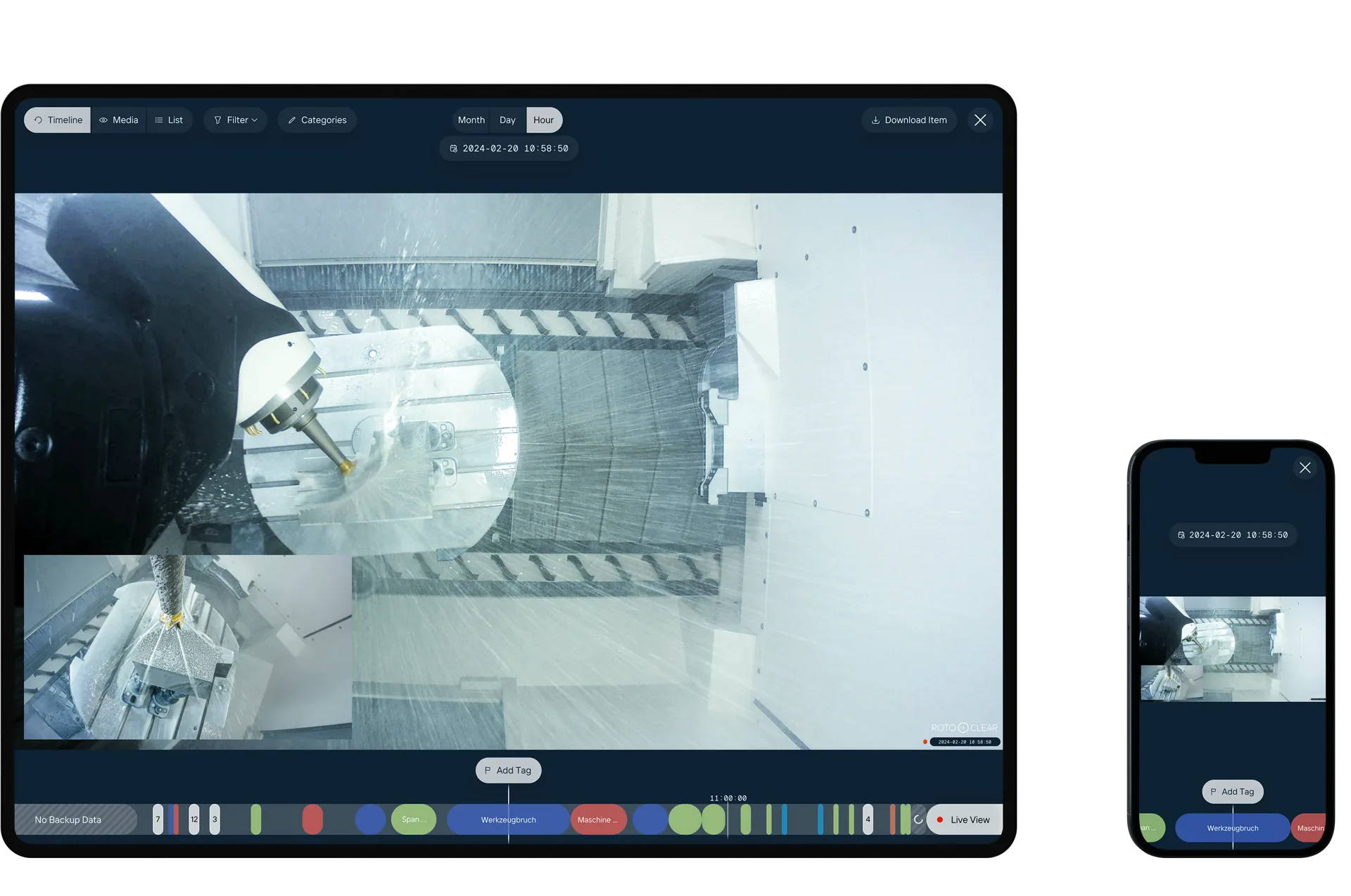
Tag & Spot
Mark specific moments on the Timeline as you notice them — a deviation, an unusual sound, anything worth a second look — then come back to exactly that frame later. Feed machine data through the API and the system can start tagging events like tool changes on its own.
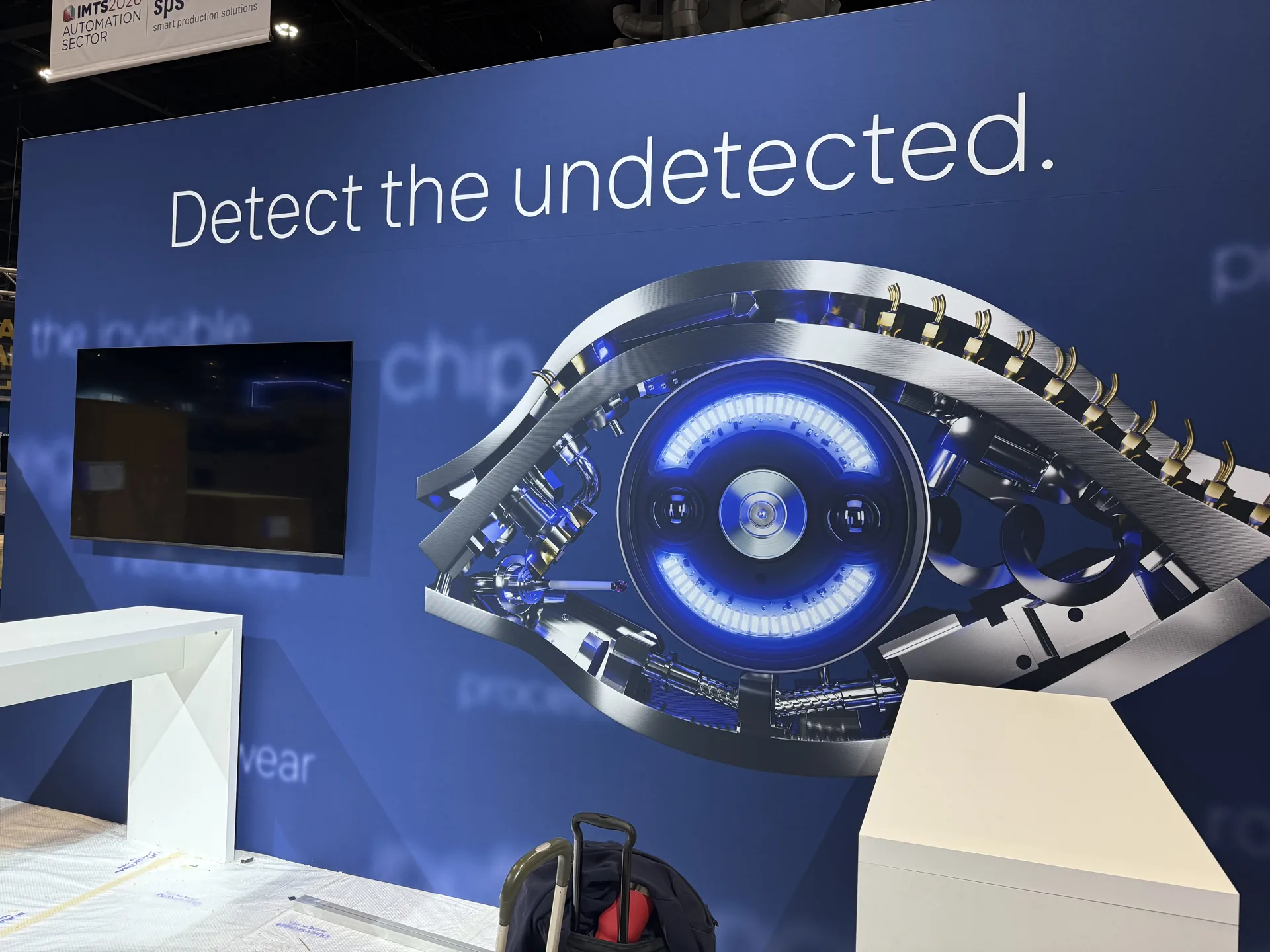
IMTS 2026 · Chicago
Premiered at Booth 236435. Available now.
ChipDetect AI made its debut on the Rotoclear C Pro at IMTS 2026. All CNC sells, installs, and supports it across the US and Canada.
Get a quote →Built for the shop floor
What the C Pro does for your shop
Crash root-cause in minutes
Scroll the Timeline back to the moment it went wrong — tool, clamping, chip nest — instead of guessing from the wreckage.
Unmanned-shift documentation
Visual Backup keeps recording while nobody is there. Up to 4 TB holds roughly 30 days, so the night shift is on record.
Remote multi-machine monitoring
Stream securely over your own network to the control, a screen in the office, or remotely — the feed stays inside your shop's network. One person keeps an eye on a row of machines, old and new.
4K tool-wear checks
Up to 4K at 60 fps plus digital zoom: check the cutting edge between cycles without opening the door.
Independently tested
Penetration-tested. No exploitable vulnerabilities.
In July 2026, Infraforce GmbH — a TÜV Hessen strategic alliance partner — ran an independent IT security analysis (penetration test) of the Rotoclear C Pro control unit and camera head on current software. The result: a small attack surface, system hardening to recognized best practices, and no exploitable vulnerabilities identified. The C Pro is designed to run inside your own trusted shop network.
Read the summary (PDF, DE/EN) ↗The hardware
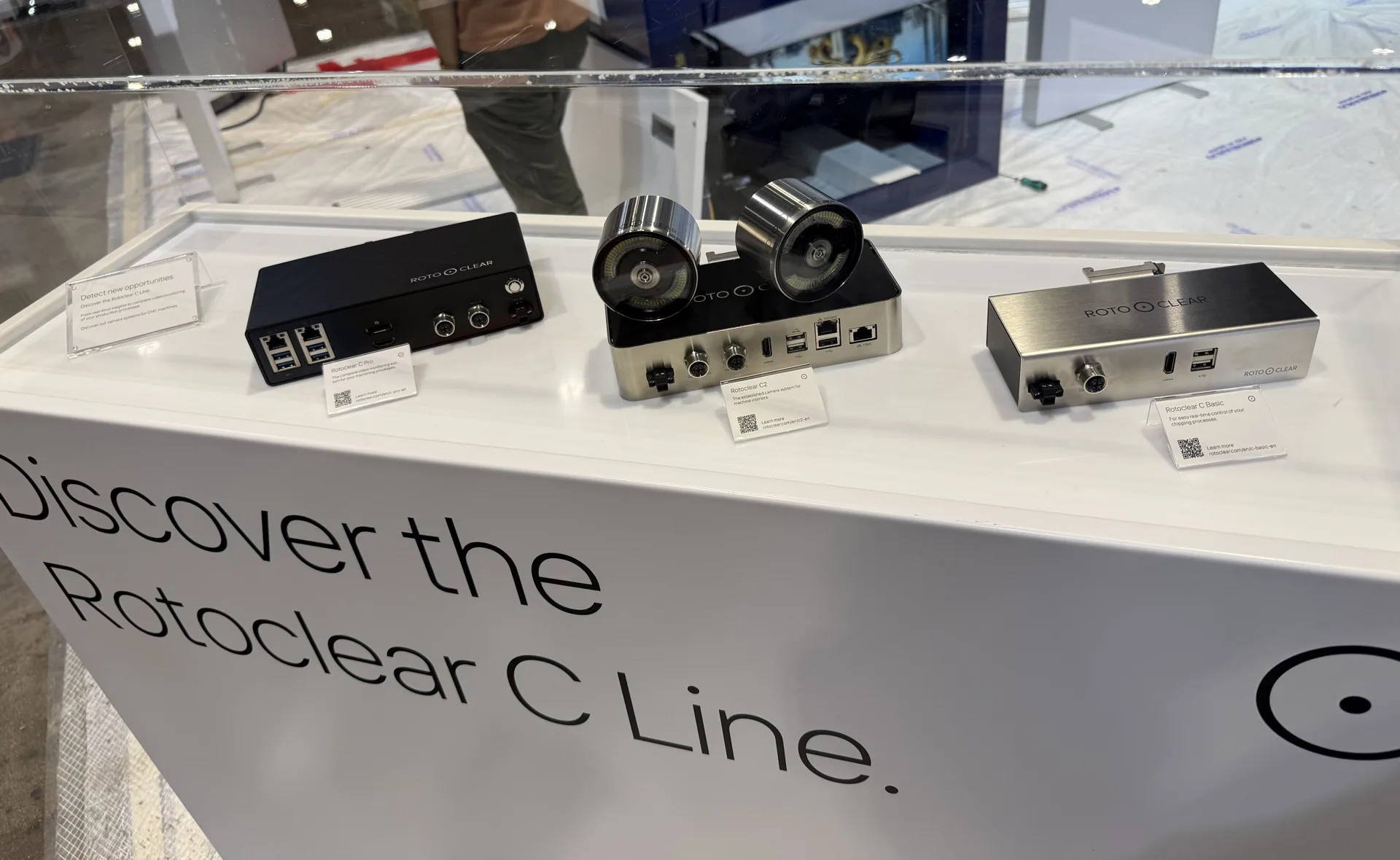
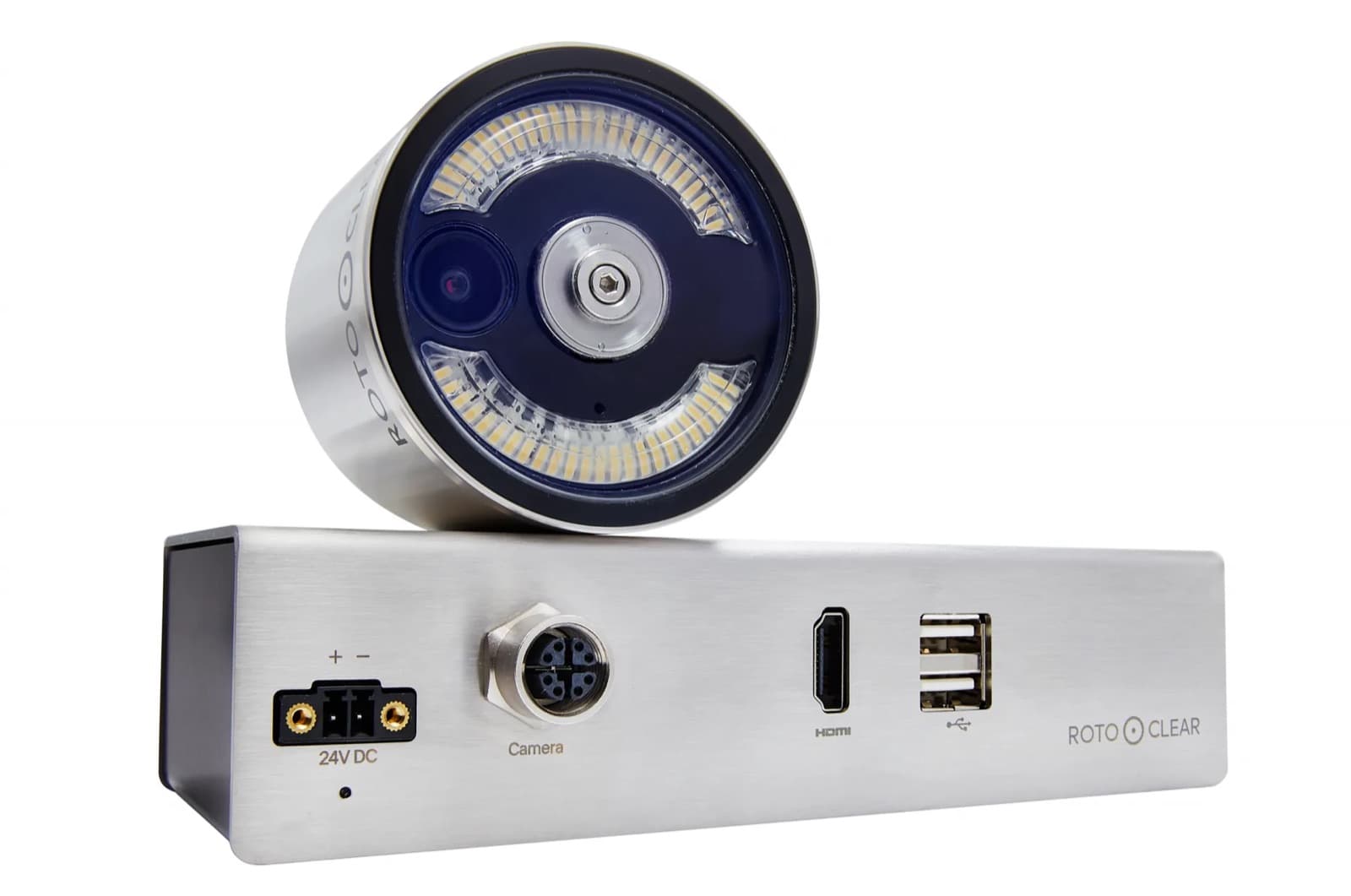
Two camera heads. One control unit. Built for the inside of a machine.
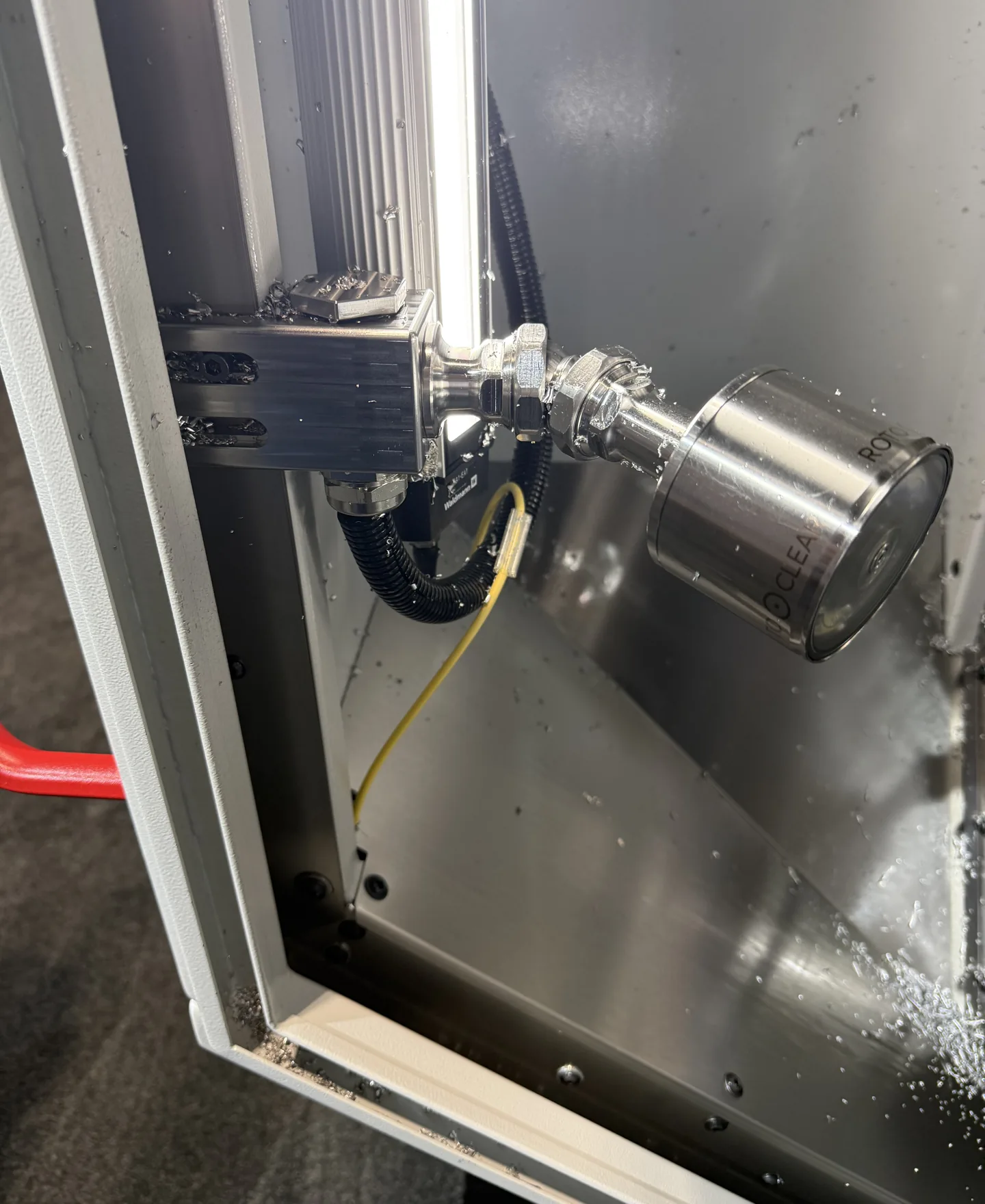
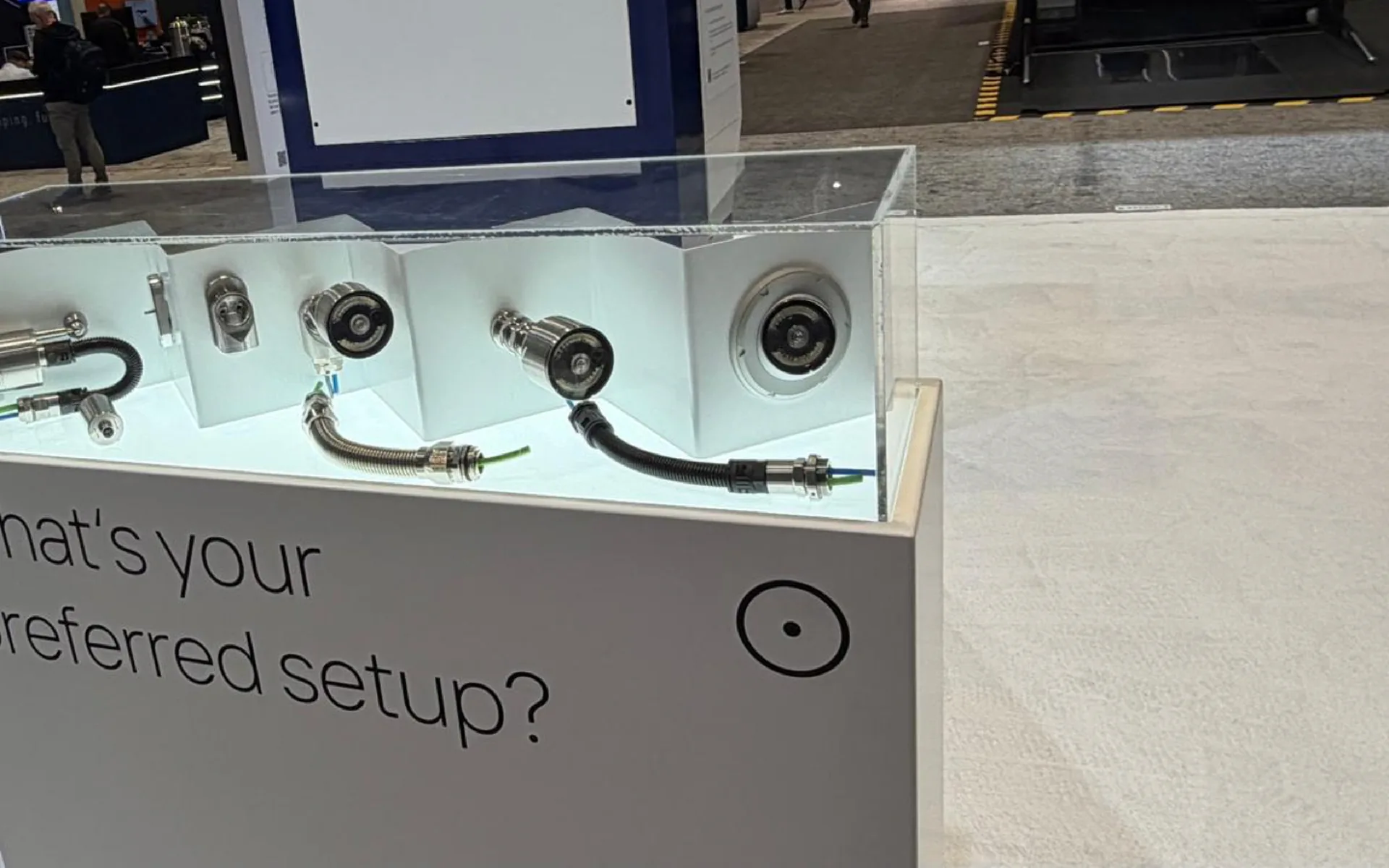
Shot at our IMTS 2026 booth: the C-line camera heads and control units, a head mounted inside a running enclosure, and the ball and flex-arm mounting options.
Des têtes de caméra pour chaque angle
Choisissez l'optique par tête : F1 détail rapproché de l'outil (200 à 500 mm), F2 vue élargie depuis le plafond ou le mur (500 à 6000 mm), ou l'option F1+F2 double pour basculer entre les deux.
Les optiques à mise au point tactile TFT et grand angle TFW ajoutent une mise au point à l'écran — la TFT peut aussi se combiner avec F1 ou F2 dans une tête combinée.
Pièces 10083 · 10084 · 10090 · 10471 · 10470 · 10472 · 10691 · 10692
Montez-le à votre façon
Les quatre mêmes systèmes de montage partagés dans toute la gamme C couvrent chaque paroi de machine et chaque ligne de visée.
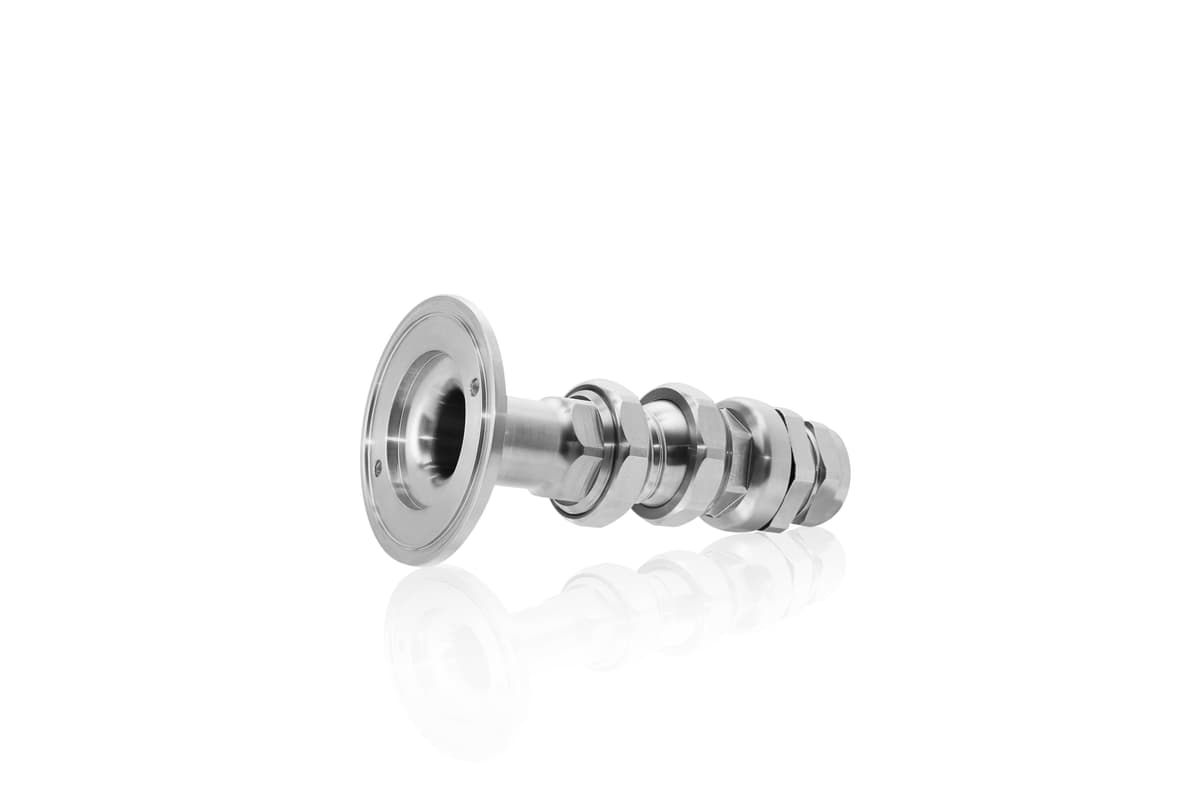
Bras flexible — traversant
Monté dans la paroi de la machine, câbles à l'extérieur
Pièce 10144
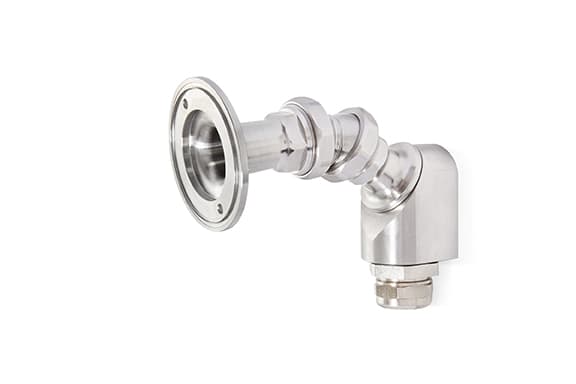
Bras flexible — devant la paroi
Vissé devant la paroi — installation facile
Pièce 10178
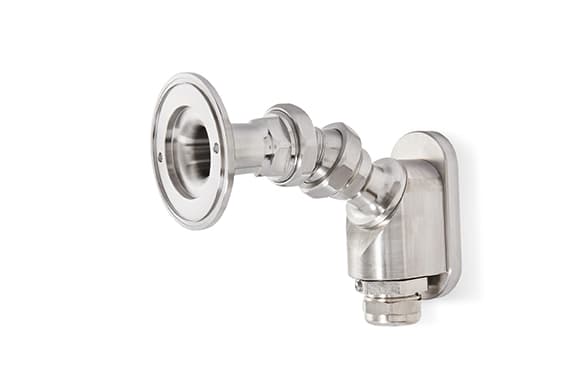
Bras flexible — magnétique
Maintenu par aimant — trouvez d'abord la position parfaite
Pièce 10222
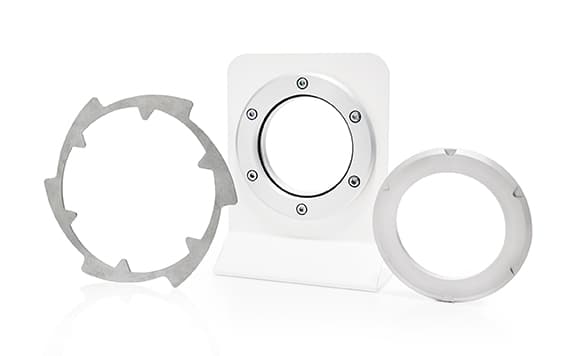
Support à rotule
Affleurant dans la paroi — accumulation minimale de copeaux
Pièce 10229
Benefits
What the C Pro actually changes on the floor
Eleven ways continuous, recorded process video pays for itself — condensed from the manufacturer's own case for the system.
- Confirm clamping holds through a production run
- Catch chip nests building up before they cause a crash
Typical applications
Where the C Pro earns its keep
From prototype to production run
One-offs, small series, or long batch runs — catch the problem the first time the part runs, not after a night of scrap.
Complex part machining
Watch multi-operation or geometrically tricky jobs closely enough to catch a problem before it becomes scrap.
Long-term process optimization
Build a video record to drive a continuous-improvement program, not just a one-time check.
Process documentation
Generate the recorded evidence a post-calculation or a customer dispute needs.
Where to point the camera
Find the view that fits your machine
Tool View
Mounted right where the cutting happens
Mount a head right at the spindle housing, next to the tool holder, for the closest possible look at the cut itself.
Plan this one early — ask your machine builder about a Tool View option when the machine itself is being configured, since fitting this exact position in later can be tight.
Top View
Looking down from the ceiling
A ceiling-mounted head takes in the whole work envelope at once, which pairs well with a tighter Tool View or Side View elsewhere on the same machine.
Align the camera to the machine's X, Y, or Z axis — it makes the picture much easier to read at a glance.
Side View
Watching from the side
A side-mounted head keeps tool changes and the immediate surroundings in view without needing a spindle-mounted position.
When a true Tool View isn't practical — especially on a retrofit — Side View is usually the closest workable substitute.
Configuration
Focus, cable, mount — then a quote
Per head: F1 close-up, F2 far-range, the F1+F2 dual head, or the tap-focus TFT (telemetric) and TFW (wide-angle) liquid lenses. Data cables in 10 m or 20 m, extended up to 60 m with C-Extender amplifiers. Ball mount flush in the wall, or a flex arm through-wall, pre-wall, or magnetic. Pick your setup below, then send it in for a quote.
Get a quoteConfigure your C Pro
Build the system for your machine
Every C Pro ships as a configuration, not a fixed SKU — pick the lens per head, the cable run, and how it mounts.
Camera-head lens options
Each head takes its own lens — mix F1 and F2 across two heads, or pick the combined F1+F2 head to switch on the fly.
Lens options at a glance
TFT also ships pre-combined with F1 or F2 in a single head (parts 10692 and 10691).
Data cable length
Native cable runs cover 10 m and 20 m; go further by chaining 20 m segments through C-Extender signal amplifiers (part 10370).
| 10 m | Part 10035 |
| 20 m | Part 10036 |
| 40 m | 1× C-Extender |
| 60 m | 2× C-Extender |
Mounting
Ball, flex-arm through-wall, pre-wall, or magnetic — see "Mount it your way" above for the hardware and part numbers.
Installation dimensions
Plan your mount
Camera head and control unit dimensions for the Rotoclear C Pro, straight from the manufacturer's technical specifications.
- Camera head — diameter2.76 in
- Camera head — length (without mount)1.97 in
- Control unit — length8.07 in
- Control unit — width4.09 in (4.92 in incl. clip)
- Control unit — height1.73 in
Full technical specifications
Rated voltage, power draw, and connectivity for the C Pro control unit.
- Rated voltage
- 24 VDC, protected against reverse polarity
- Power consumption
- 96 W max. (2 camera heads, 4 signal amplifiers)
- Current
- 4 A max. (2 camera heads, 4 signal amplifiers)
- Ethernet
- 2 × 1 Gbit/s
- USB
- 4 × USB 3.0 (900 mA max. each)
- DisplayPort
- 1×
- Video signal
- HDMI (1×)
- Data
- 2 × M12 x-coded (female)
Quel système vous convient?
Comparez les systèmes de caméra Rotoclear
Trois systèmes, une conception commune — toutes les fonctionnalités côte à côte, de ce qui est intégré à chacun jusqu'à ce que seul le C Pro ajoute.
 C Basic C Basic | 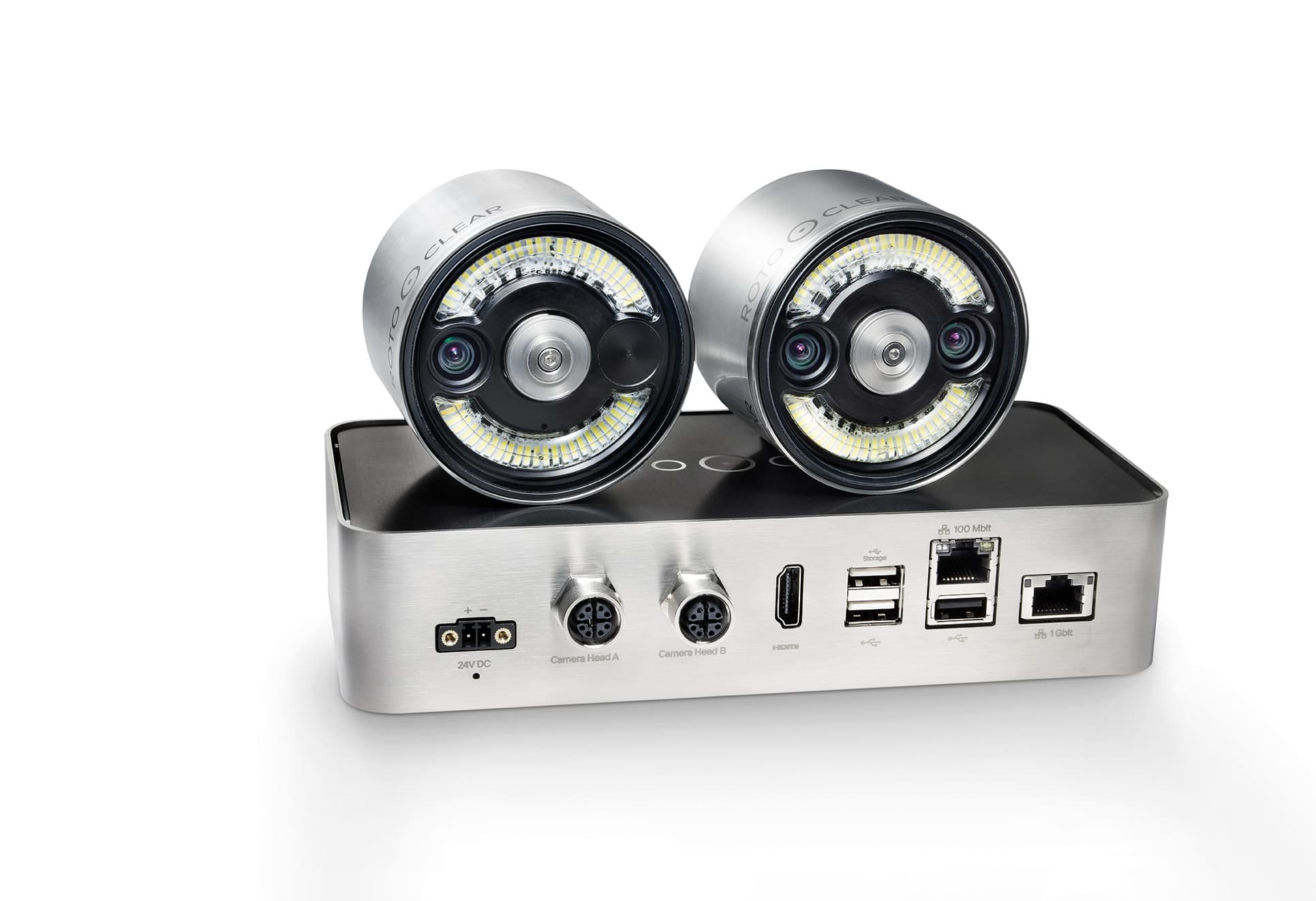 C2 C2 | C Pro | |
|---|---|---|---|
| C2 et C Pro | |||
| Network / web streaming | Non inclus | Inclus | Inclus |
| Touch-friendly interface | Non inclus | Inclus | Inclus |
| Remote viewing | Non inclus | Inclus | Inclus |
| Network integration | Non inclus | Inclus | Inclus |
| Over-the-air software updates | Non inclus | Inclus | Inclus |
| Open API | Non inclus | Inclus | Inclus |
| Recording resolution | Non inclus | Max. FullHD | Max. 4K |
| Exportable recordings | Non inclus | Inclus | Inclus |
| C Pro seulement | |||
| Adjustable lighting | Non inclus | Non inclus | Inclus |
| Tap-to-focus lenses | Non inclus | Non inclus | Inclus |
| Continuous background recording with a searchable timeline | Non inclus | Non inclus | Inclus |
| Event tagging for quick lookup | Non inclus | Non inclus | Inclus |
| Onboard storage | Non inclus | Non inclus | Inclus |
| Slow-motion capture | Non inclus | Non inclus | Inclus |
| Time-lapse capture | Non inclus | Non inclus | Inclus |
| Get a quote | Get a quote | Get a quote | |
Downloads
Manufacturer documentation
Official Rotoclear resources for the C Pro — manual and changelog hosted by Rotoclear so they always reflect the current release — plus the independent security analysis summary.
Capturez chaque travail
Configurez votre C Pro avec des images à chaque étape — votre soumission arrive par courriel.